
Minecraft Bedrock 26.60 released on October 27, 2026, and it is two updates in one: a huge stability pass with more than 600 bug fixes for every player, and a first playable taste of the upcoming Deep Freeze drop — Ice Caves, the Frostbite mob, and the Freezing effect — hidden behind an experimental toggle. The ice content is not in normal worlds yet, and that one fact is the most important thing in this guide.
That is the short version. The rest of this guide is the part most patch-note summaries skip: the exact version numbers for every platform, how the ice content actually works in detail, what you can brew with the Frostbite’s drops, the stable changes that affect everyday play, how to update on each device, and — honestly — what the update does and does not mean for clickers.
Read This First: The Ice Content Is Experimental
The Ice Caves, Frostbite, Ice Crystals, icicles, the Freezing effect, and Ice Balls are part of the experimental Game Drops features for Drop 4 of 2026. Mojang has since given that drop its official name: Deep Freeze. The experimental features were first tested in Bedrock Preview builds ahead of the release and carried into 26.60 behind the experimental toggle. The full Deep Freeze release will arrive as Bedrock Edition 26.70 (and Java Edition 26.4) in the fourth quarter of 2026 — Mojang has not confirmed an exact date, so treat any specific day you see quoted online as a guess, not an announcement. Mojang is collecting player feedback on the experimental content meanwhile.
What that means in practice:
- You must turn on the experimental toggle when creating a world to generate Ice Caves and Frostbites. Existing worlds without the toggle will not gain them. The toggle is labelled “Drop 4 of 2026” in the Experiments section of the world settings.
- Details can change. Spawn behaviour, health values, drop rates, and even mechanics may be adjusted before the full release. Treat any specific number you see in preview coverage as provisional, not permanent Minecraft law. Where this guide gives a number from the Minecraft Wiki rather than the official changelog, it says so.
- The rest of 26.60 is not experimental. The 600+ fixes, Realms improvements, and technical updates apply to everyone, toggle or not.
If you only care about the stable game, 26.60 is still a worthwhile update — 600 fixes is a lot of polish. If you care about the ice content, read on with the experimental label in mind.
Bedrock 26.60 at a Glance
| Fact | Detail |
|---|---|
| Version | Bedrock Edition 26.60 (also known as 1.26.60) |
| Release date | October 27, 2026 |
| Type | Minor update — experimental Deep Freeze content plus bug fixes |
| Bug fixes | More than 600, including 89 reported by the community |
| Headline content | Ice Caves biome, Frostbite mob, Freezing effect, Icicles, Ice Crystals, Ice Balls (all experimental) |
| Biggest platform news | First full native release for Nintendo Switch 2 |
| Full drop to come | Deep Freeze — Bedrock 26.70 / Java 26.4, Q4 2026 (exact date unconfirmed) |
| Server versions | 1.26.60.6 and 1.26.61.1 (protocol version 2225) |
What Version Number Will You See? Every Platform
Bedrock shows a different version string depending on your device, which confuses players every update. Here is what 26.60 looks like everywhere:
| Platform | Version shown |
|---|---|
| Windows, Xbox | 1.26.6004.0 |
| Android, iOS, iPadOS, ChromeOS, Fire OS | 1.26.60.4 |
| PlayStation 4 | 3.51 |
| PlayStation 5 | 1.061.000 |
| Nintendo Switch and Switch 2 | 1.26.60 |
| Dedicated server | 1.26.60.6 – 1.26.61.1 |
If your device shows one of those numbers, you are on 26.60. If it shows anything lower, you have not updated yet — and that matters for multiplayer, because a server running 26.60 will not let an older version join.
What Is Actually in Bedrock 26.60
Beyond the ice content, the update is mostly a large quality pass: more than 600 bug fixes across gameplay, controls, loading, and Realms, including 89 fixes for issues the community reported. That is the unglamorous part of an update, but for a game as widely played as Minecraft, it is the part most players will feel — fewer crashes, fewer broken interactions, smoother loading.
The experimental package, for players who enable it, is a connected cold-weather set:
- Ice Caves — a new cave biome under colder Overworld biomes.
- Frostbite — a new hostile zombie variant.
- Ice Crystals, icicles, Ice Balls, and the Freezing effect — the blocks, projectiles, and status effect that tie the package together.
And separately, October 27 also marked the arrival of Minecraft’s native Switch 2 version — more on that below.
Ice Caves: What They Are and Where to Find Them
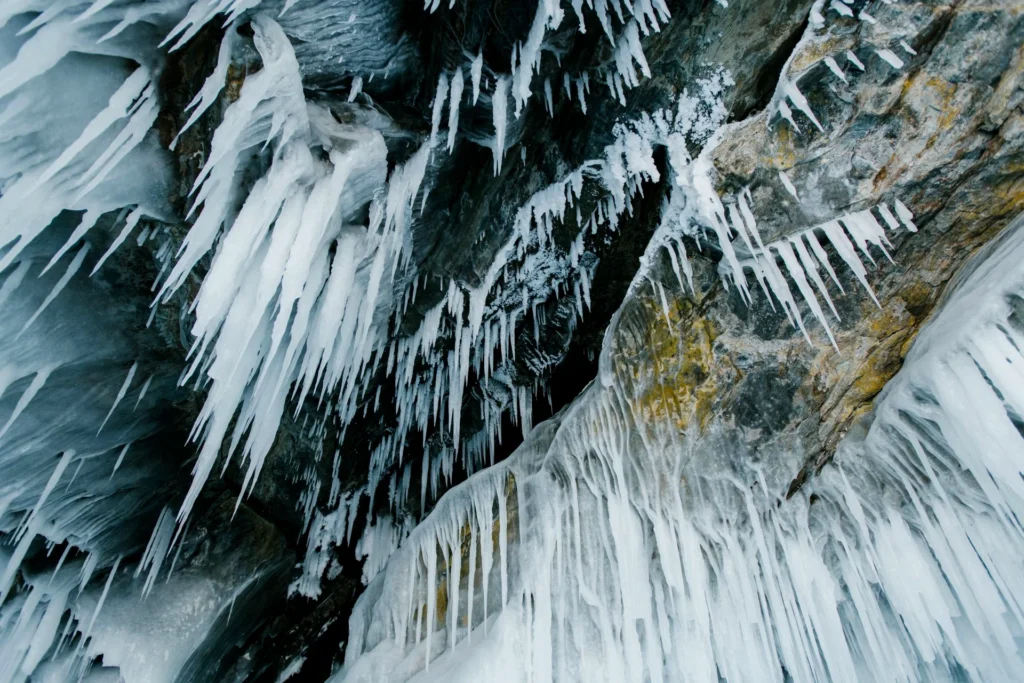
The Ice Cave is a new cave biome that generates underneath the colder biomes of the Overworld, sitting alongside dripstone and lush caves in the cave biome lineup. Its makeup is distinctive: mainly Packed Ice and Calcite instead of stone and dirt, with icicles hanging from the ceiling and Ice Crystals occasionally generating on the ground.
The official changelog adds details most summaries leave out:
- Ores still generate, embedded in pockets of Stone and Deepslate — so an Ice Cave is not a dead zone for mining.
- Dirt and Granite do not generate here at all. The biome is built from Packed Ice, Calcite, Stone, and Deepslate only.
- Patches of Snow occasionally generate on the ground, and large icicles made of Packed Ice generate on the ground as well as hanging from the ceiling.
- Glow Lichen does not generate here. Ice Crystals are the only light source, which changes how you navigate: you cannot rely on the usual glow-lichen breadcrumbs, and dark corners stay dark.
Three details matter for explorers:
- Light works differently here. Ice Crystals are the only light source found in Ice Caves — there is no Glow Lichen. That changes how you navigate and how you plan safe paths: you cannot rely on the usual glow-lichen breadcrumbs, and dark corners stay dark.
- The mob mix is colder. In addition to the mobs that normally spawn in caves, Strays and Frostbites can also spawn here. A cave that already demands attention now demands cold-weather awareness too.
- They only appear under cold biomes. Ice Caves generate under biomes with low temperature. If you are digging under a desert or jungle, you are in the wrong place — head for snowy territory first, then dig down.
For miners, the appeal is a genuinely different underground environment rather than a reskin: slippery Packed Ice floors, Calcite formations, and a light economy built around crystals instead of lichen. For builders, Packed Ice and Calcite in cave-scale quantities are useful materials in their own right.
New Blocks: Icicles and Ice Crystals
Icicles
Icicles are a new speleothem-like block, similar to Dripstone, and they are more than decoration:
- They generate under blocks of Packed Ice, all over Ice Cave ceilings.
- They can naturally grow up to 5 blocks long when pointing downward — but only in areas without nearby light sources, and never in the Nether.
- If light levels get high enough, there is a chance an icicle will drop and damage anything unlucky enough to be hit by it.
- A falling icicle damages entities it hits, and it deals extra damage to entities that land on it.
- Icicles break when exposed to nearby light sources or while in the Nether — except for the base block.
The practical lesson: do not stand under icicles while placing torches, and do not mine Packed Ice above your own head in an Ice Cave.
Ice Crystals
Ice Crystals are a new crystal-like block, similar to Amethyst Clusters:
- They are the only light source in Ice Caves, and they can generate naturally on top of Packed Ice blocks.
- They emit light and can be placed in any direction.
- They break if the support block is removed, so do not mine the Packed Ice underneath one and expect it to float.
- Known issue, straight from the official changelog: Ice Crystals are currently smaller than intended. That is a bug Mojang knows about, not a design choice — expect them to look different after a later fix.
Frostbite: The New Mob, and Why It Is Dangerous
The Frostbite is a zombie variant adapted to frozen environments, and it is more dangerous than a normal zombie because it fights two ways:
- At range, it throws Ice Balls. These are its projectile weapon of choice: they deal a small amount of damage and have knockback, which is dangerous near ledges, lava, or in a slippery ice cave where a knockback can send you sliding.
- Up close, it prefers melee — and its melee hits apply the Freezing effect. Freezing makes your character shake, reduces jump height, and eventually causes damage. A Frostbite that closes the distance does not just hurt you; it slows your escape.
The official changelog adds combat details the first wave of coverage missed:
- The Frostbite switches between melee and ranged combat based on target distance and whether it has Ice Balls — it is not locked into one mode.
- It has dedicated Ice Ball throwing animations for both adult and baby variants, and uses zombie-style melee animations otherwise.
- Some Frostbites spawn holding Ice Balls, which they throw rapidly at the player (Minecraft Wiki).
- It can stand on top of Powder Snow without sinking, and it is immune to freezing and is not slowed by the Freezing effect or Powder Snow.
- It burns in sunlight, like other undead mobs (Minecraft Wiki).
Other Frostbite facts worth knowing:
- It spawns in cold and icy biomes on the surface as well as in Ice Caves.
- Zombies and Husks transform into Frostbites when inside Powder Snow — about 30 seconds in powder snow, according to the Minecraft Wiki. One exception: a zombie wearing leather armour does not convert.
- It transforms back into a regular zombie if left underwater too long — about 30 seconds underwater, according to the Minecraft Wiki. Water is your friend if you need to defuse one.
- Its confirmed drops are rotten flesh and Ice Balls. No exclusive Frostbite-only treasure has been confirmed beyond those.
Frostbite vs Zombie: The Differences That Matter
| Trait | Zombie | Frostbite |
|---|---|---|
| Ranged attack | None | Throws Ice Balls (4 damage, scaling down with velocity) |
| Melee effect | Plain damage | Applies the Freezing effect |
| Powder Snow | Sinks and freezes | Stands on top of it, immune |
| Sunlight | Burns | Burns |
| Transformation | Turns into a Frostbite in Powder Snow | Turns back into a Zombie underwater (~30 seconds) |
| Drops | Rotten flesh | Rotten flesh and Ice Balls |
| Where it spawns | Almost everywhere at night | Cold and icy biomes, plus Ice Caves |
The combat lesson is straightforward: do not fight Frostbites the way you fight zombies. Keep distance without standing near drops, watch for the ranged ice balls, and if one gets close, break away before Freezing stacks — a slowed, low-jumping player in an ice cave is a player in trouble. Bring a water bucket; it is both an escape tool and, given the underwater transformation, a counter.
The Freezing Effect: How It Works
Freezing is a new mob effect, and it works in stages:
- It starts with shaking and reduced jump height. The affected player or mob slowly becomes frozen, as if standing in Powder Snow, for the duration of the effect.
- It eventually deals damage. If the freezing state advances far enough, it starts hurting — the same slow freeze damage Powder Snow causes.
- Leather armour helps — but only partly. Leather Armour will keep you from becoming freezing, just like with Powder Snow, but it will not keep the effect from being applied and will not remove the effect. A full leather set stops the freezing state from activating; it does not cleanse the timer.
- Milk clears it. A bucket of milk removes the Freezing effect, like any other status effect — keep one in your hotbar before exploring Ice Caves.
- It is a weapon, not just a hazard. Mobs that are vulnerable to freezing take five times the damage while affected by the Freezing effect — which is exactly why the Potion of Freezing exists. Snow golems, polar bears, and strays can be inflicted with Freezing but are unaffected by it; Frostbites, zombies, husks, and drowned are completely immune.
What to Do With Ice Balls: Potion of Freezing and Arrows
Ice Balls are not just a Frostbite’s weapon — they are a brewing ingredient. This is the part of 26.60 most guides skipped entirely.
How to Brew a Potion of Freezing
- Brew an Awkward Potion as normal, with Nether Wart and water bottles in a Brewing Stand.
- Place the Awkward Potion in the bottom slot of the Brewing Stand.
- Place an Ice Ball in the top ingredient slot.
- Wait for the brewing to complete. The result is a Potion of Freezing.
Lingering and Splash variants can be brewed from it the same way as any other potion — with Gunpowder for Splash and Dragon’s Breath for Lingering.
How to Make Arrows of Freezing
Fill a Cauldron with your freshly brewed Potion of Freezing, then dip arrows into it. Each potion fills one-third of the Cauldron and tips up to 16 arrows. The result is an Arrow of Freezing, which applies the Freezing effect to whatever it hits — useful against mobs that are vulnerable to freezing, which take five times the damage while affected.
How to Try the Ice Content
On Bedrock Edition, the path is:
- Make sure you are on version 26.60 — check the version table above for the number your platform shows.
- Create a new world with the experimental “Drop 4 of 2026” toggle enabled in the Experiments section of the world settings.
- Travel to a snowy or otherwise cold biome, then dig down to look for the Ice Cave biome.
- Expect Frostbites in cold surface biomes and inside Ice Caves.
Java players are testing the same content in the Java 26.4 snapshots, but this article is about the Bedrock release — Java’s full Deep Freeze timing follows Mojang’s usual snapshot-to-release path. And remember: because this is experimental, back up worlds you care about before enabling the toggle, and do not build your main base around mechanics that may still change.
The Native Switch 2 Version Arrives
October 27 also marked the long-awaited arrival of Minecraft’s native Switch 2 version. For Switch players, that means a version built for the new hardware rather than a backwards-compatible run of the old one. The native version includes Vibrant Visuals support and raises the regular render distance to 28 chunks — a real improvement over the old Switch version’s shorter view distance.
Three details Switch players should know:
- This is the first full release of Bedrock Edition for Nintendo Switch 2, after a closed beta of the native version was available.
- The Super Mario Mash-up, bundled with Nintendo platforms, has been updated for Vibrant Visuals.
- Newly purchased Minecoins will no longer be cross-platform between Nintendo platforms and other platforms — a change worth knowing before you buy.
If you play Minecraft on Switch, 26.60 is the update that brings your platform up to date alongside everyone else, and the experimental ice content is available to Switch 2 players on the same terms as other Bedrock platforms.
The Stable Changes: What 26.60 Fixes and Improves for Everyone
The ice content is experimental, but the rest of the update is not. These are the stable changes most players will actually notice:
Realms gets faster and friendlier
- World upload and download speed and reliability have been substantially improved — one of the most requested Realms fixes in years.
- The Realms free trial is now available on Nintendo Switch.
- Member screens have been redesigned with search: you can now invite players to your Realm without first making them an Xbox friend, and the Members screen shows “Recommended” friends.
- Hardcore worlds are now identified correctly in Realm world slots, and the correct active world size is now displayed consistently.
Everyday gameplay fixes
- Explorer Maps have been renamed for consistency: Ocean Explorer Map is now the Ocean Monument Map, Swamp is the Swamp Hut Map, Trial is the Buried Trial Chambers Map, Woodland is the Woodland Mansion Map, and Jungle is the Jungle Pyramid Map.
- Trapdoors now have snappable placement: holding the place-block control while a trapdoor is selected places trapdoors in a fixed direction until the control is released — a small change that makes building with trapdoors far less fiddly.
- Red and Brown Mushrooms can now be placed on any block with a top solid face, regardless of lighting conditions. They still cannot spread unless the brightness is below 13, or the support block overrides light requirements, like Mycelium.
- Lush Caves now generate instead of Dripstone Caves or Sulfur Caves in very humid regions — a world-generation change that affects where you find each cave type.
- Snow now produces vibrations when placed, which matters for Sculk Sensor builds.
- Players now take fall damage when landing on a solid block at the boundary of a water block — a long-standing edge case, fixed.
- Shulkers are now pushed by Pistons and by blocks that Pistons move, matching Java Edition.
- A Wind Burst enchanted Mace no longer launches the player up in the air when hitting non-living entities such as boats, minecarts, and cushions.
- A bundle placed in a Double Chest no longer loses its contents — a nasty inventory bug, fixed.
- Villagers no longer become unresponsive when a player interacts with them while opening the inventory menu.
- The Drowned model now more closely matches Java Edition, and helmets equipped by Drowned are now visible.
- Baby cats have unique animations for sneaking, sprinting, and walking.
- The /time command now prevents setting a negative time value, and adding time past the daily maximum wraps to the equivalent time on the first day.
- The silent Xbox Live sign-in hang is fixed: a timeout now surfaces a network error instead of hanging indefinitely.
- Switch-specific fixes: wireless controllers now work on the world selection screen after leaving a world, stability is improved for Switch devices on networks, and large worlds can now be duplicated on Switch when sufficient storage is available.
Stability and performance
- Fixed a crash when loading a world containing large, densely connected structures of blocks such as fences, glass panes, iron bars, or walls.
- Reduced stutter associated with mobs and items across multiple play sessions.
- Fixed a crash when rendering too many hearts on the HUD, and a crash when loading malformed resource archives.
- Players no longer get stuck on the “Generating World” loading screen when pausing during dimension transfer.
How to Update to 26.60 on Each Platform
Bedrock updates itself on most platforms, but if your version number is still below 26.60, here is how to force it:
- Windows (Microsoft Store): Open the Microsoft Store, go to Library, and check for updates — or open the Xbox app, go to My Library, and update Minecraft from there. The game can also be updated from the Minecraft Launcher.
- Xbox: Press the Menu button on the Minecraft tile, select Manage game and add-ons, then Updates. Consoles with automatic updates enabled will already have it.
- PlayStation: Highlight Minecraft on the home screen, press Options, and choose Check for Update.
- Nintendo Switch and Switch 2: Highlight Minecraft, press +, and choose Software Update, then Via the Internet. Switch 2 players should confirm the game launches as the native version, not the backwards-compatible one.
- Android: Open the Google Play Store, search for Minecraft, and tap Update.
- iOS / iPadOS: Open the App Store, tap your profile icon, and update Minecraft from the pending updates list.
- ChromeOS / Fire OS: Update through the Play Store or Amazon Appstore respectively.
After updating, check the version number against the table above. If the number is still old, restart the device and check again — store updates can take a few hours to appear in every region.
“Can’t Join the Server” After Updating?
If a server or Realm is running 26.60 and you are on an older version — or the other way around — Minecraft will refuse the connection with a version mismatch. Both sides must be on the same version. Update first, then retry. If you are on the right version and still cannot connect, especially on Bedrock, the problem is usually the network rather than the update: our guide to the Minecraft Bedrock 26.60 can’t-join-server NetherNet fix walks through the connection checks that actually work.
Known Issues in 26.60
Mojang’s own changelog admits one outright, and the experimental label implies the rest:
- Ice Crystals are currently smaller than intended. This is a known issue, not a design choice — expect a visual fix in a later update.
- Everything experimental is provisional. Spawn behaviour, numbers, and mechanics for the ice content can change before the full Deep Freeze release.
- Add-on makers, take note: several entity-component schemas are now stricter when parsing, and entity JSON files with invalid data will fail to load in versions 1.26.60 and newer. If an add-on world breaks after updating, the add-on needs updating too.
The Clicker Angle — Said Plainly
Let us be honest, because this site is about clicking: Bedrock 26.60 does not change clicking mechanics. There is no new CPS system, no clicking technique buff, no change to attack timing or block-placement speed. If you came here expecting a clicking revolution, this update is not one.
What it does offer Minecraft-playing clickers is context where clicking skill still matters:
- Bridging and block placement still reward fast, accurate clicking. Ice Caves, with their slippery floors and knockback-happy Frostbites, punish slow reactions — a player who can place blocks quickly while retreating has a real advantage when an ice ball sends them sliding toward a drop. If bridging is your game, our guide to drag clicking covers the fastest placement technique there is — and the server rules that come with it.
- PvP timing still rules combat. Against a Frostbite, the fight is won by spacing, aim, and reaction speed, not by raw CPS — the same lesson our CPS for Minecraft PvP guide teaches: a steady, aimed 9 CPS beats a frantic, wild 16 CPS in an actual fight.
- The Freezing effect punishes slow hands. Reduced jump height and eventual damage mean the player who reacts fastest — repositioning, placing a block, drinking, or escaping — survives longest. That is a reaction-speed test, not a CPS test, and it is worth saying so clearly.
- Technique still beats raw speed. The update changes nothing about what makes a click fast or accurate. If your clicking needs work, our guides on what a CPS test measures, how to improve click speed, and how to click faster overall are the place to start — and if you want to see what the fastest verified human clicking actually looks like, our CPS world records guide separates the real records from the inflated claims.
So: enjoy 26.60 as gaming news, explore the ice content if you like Minecraft, and do not let anyone sell it to you as a clicking update. It is a good update that happens to reward the same reflexes clickers train — nothing more, nothing less.
What Comes Next: The Full Deep Freeze Drop
26.60 is the preview, not the destination. The full Deep Freeze drop is expected in Q4 2026 as Bedrock 26.70 and Java 26.4, and the Minecraft Wiki’s summary of the drop shows it will add more than what 26.60 carries:
- Brittle ice — a new block that cracks under weight, though Frostbites and Strays can stand on it without breaking it.
- A calcite block set — including polished calcite and polished calcite bricks, with slabs, stairs, and walls.
- Packed ice bricks and snow bricks — new building blocks in the same family.
- Crevasses — small cracks in the terrain that generate in Ice Caves.
- Music Disc “Flurry” and updated jukeboxes.
None of those are in 26.60 — they belong to the full drop, and listing them here as if they were already playable would be wrong. What 26.60 gives you is the core of the drop to test early: the biome, the mob, the effect, and the brewing. The rest arrives with 26.70.
Frequently Asked Questions
When was Minecraft Bedrock 26.60 released?
October 27, 2026. Console players see it as update 3.51 on PlayStation 4 and 1.061.000 on PlayStation 5. It includes more than 600 bug fixes, 89 of them community-reported.
Are Ice Caves and Frostbite in normal Minecraft worlds?
Not yet. They are experimental Deep Freeze (Drop 4 of 2026) features behind the experimental toggle in 26.60. You must enable the “Drop 4 of 2026” toggle when creating a world to generate them; the full standard release is expected in Q4 2026 as Bedrock 26.70, with no exact date confirmed.
Where do Ice Caves generate?
Underneath the colder biomes of the Overworld. They consist mainly of Packed Ice and Calcite, with icicles on the ceiling, Ice Crystals as the only light source — no Glow Lichen — and ores embedded in pockets of Stone and Deepslate. Dirt and Granite do not generate there.
What does the Frostbite do?
It is a zombie variant that throws Ice Balls at range (4 damage, scaling down with velocity, plus knockback) and prefers melee up close, where its hits apply the Freezing effect: shaking, reduced jump height, and eventual damage. It is immune to freezing, unaffected by powder snow, can stand on top of it, and turns back into a regular zombie after about 30 seconds underwater.
What does the Frostbite drop?
Confirmed drops are rotten flesh and Ice Balls. Ice Balls are also a brewing ingredient: an Awkward Potion plus an Ice Ball makes a Potion of Freezing, and dipping arrows in a cauldron of it makes Arrows of Freezing.
Does Bedrock 26.60 change clicking or CPS?
No. It does not change attack timing, block-placement speed, or any clicking mechanic. It rewards reaction speed and accurate placement in ice-cave fights, but it is a content and fixes update, not a clicking update.
Bedrock 26.60 is easy to misread: the ice content is the exciting part, but it is experimental, and the part every player actually gets is 600 fixes, faster Realms, and a native Switch 2 version. Enable the toggle if you want to test the Deep Freeze early — and back up your world first. The full drop, with brittle ice, new building blocks, and the rest, arrives with 26.70 later in the year.
Pingback: Minecraft Bedrock 26.60 Can't Join Server? The NetherNet Fix That Actually Works