
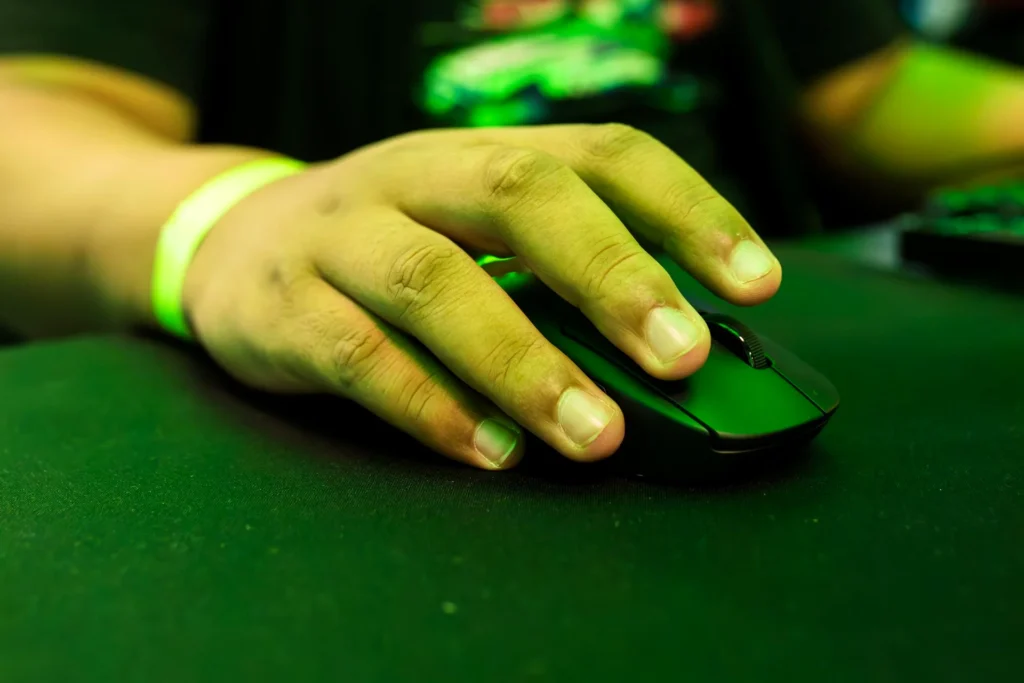
Most players gain 2 to 4 CPS in 30 days with this plan: ten to fifteen focused minutes a day, four practice days a week, one technique learned properly, and honest measurement every week. This guide gives you the full structure — week-by-week targets, daily sessions minute by minute, technique drills, a mouse table with verified prices, and the plateau fixes other plans skip.
That is the short version. The rest of this guide is the part most training plans skip: why click speed improves the way it does, how to measure your baseline so the numbers mean something, a day-by-day 30-day plan with weekly targets, drills for every technique, the grip and setup foundations that add free speed, how to tell whether your mouse is the bottleneck, how to read a plateau and break it, what to do after day 30, and the safety rules that keep your hands working for years. If you have never measured your speed, start with our guide on what a CPS click speed test is — it explains the measurement itself — and our how to improve click speed guide, which covers the foundations in more depth.
How Click Speed Actually Improves
Clicking faster is a motor skill, and motor skills improve the same way every other one does: short, focused practice, real rest, honest measurement, and a plan that gets slightly harder over time instead of all at once. That sentence is the whole science of this guide. Everything below is just that sentence, applied.
Three things are worth understanding before day one, because they explain every choice in the plan:
Speed is coordination, not strength. Your finger is not weak; it is untrained. The first gains in any click-speed plan come from removing wasted movement — a lighter press, a shorter finger lift, a relaxed shoulder — not from forcing the finger harder. Pressing harder is the most common mistake in click training, and it makes you slower: a mouse switch only needs a small amount of force to actuate, and extra force slows the release and tightens the hand.
Rest is when the improvement happens. Practice lays down the movement; rest is when your nervous system consolidates it. That is why this plan has three rest days a week, and why skipping them to “catch up” is the fastest way to stall — or to hurt yourself. Short sessions with rest days beat long grinding sessions in every study of motor learning, and in every honest training guide on this topic.
You can only improve what you measure honestly. A training plan built on your best-ever lucky run will feel like failure on day two, when normal scores return. This plan measures the middle score of five runs — the median, not the best — because the median tells you what you can actually do on a typical attempt, and that is the number worth improving.
What trains what
Different practice trains different things. If you train the wrong one, your number does not move:
| What you practise | What it actually improves | What it does NOT fix |
|---|---|---|
| Short 5-second bursts | Peak speed, technique feel | Stamina, consistency over 10 seconds |
| 10-second tests | Rhythm, control, stamina | Peak burst speed |
| 30-second runs | Endurance, relaxation under fatigue | Burst speed, aim |
| Aim sets (clicking while tracking) | Speed you can actually use in a game | Raw test numbers |
| Rhythm drills (metronome) | Even timing, fewer wasted clicks | Hardware limits |
| Rest days | Consolidation, recovery, real gains | Nothing — they are part of the training |
Before Day One: Measure Your Baseline Honestly
Do this the day before you start, when your hands are fresh:
- Warm up for a minute with relaxed, normal clicking — no speed attempts yet.
- Take five 5-second tests on the mouse you actually play with, resting 20 to 30 seconds between attempts.
- Write down all five scores and keep the middle one. That middle score — the median, not your best — is your baseline.
- Also record three things alongside the score: your grip, your mouse, and the test format (5 seconds, same test page). Change none of those during the 30 days. If you switch mice halfway through, you will never know whether the plan worked or the hardware changed.
The formula behind every number in this guide is simple:
CPS = total clicks ÷ test time in seconds
For example, 42 clicks in 5 seconds is 8.4 CPS. Most people score between 4 and 8 CPS with normal clicking. Anything above 10 is fast, and anything above 14 usually involves a specialised technique, a low-debounce mouse, or both.
As a rough map of where you might be starting — approximate, and only for orientation — most adults land around 5 to 7 CPS with ordinary clicking, 8 to 10 CPS is a solid gaming speed, 10 to 14 CPS is skilled jitter clicking territory, and 14-plus usually means butterfly clicking. Wherever you start, the plan below works the same way.
One more number for perspective: the fastest confirmed human clicking ever measured is 760 clicks in one minute — about 12.7 CPS sustained for a full minute — set by Yiğit “Yigox” Arslan in February 2026. That is the world record pace, and it is slower than the burst numbers drag clicking produces, because a minute-long test measures sustained speed, not a half-second spike. Our CPS world records guide separates the real records from the inflated claims if you want the full picture.
The Five Rules That Make the Plan Work
Everything in the next four weeks rests on five rules. Break them and the plan stops working; keep them and almost any reasonable schedule will produce progress.
1. Short sessions beat long ones. Keep practice to about 10 to 15 minutes a day. Clicking is sprint training, not endurance training, and tired practice teaches tired movement. A focused 12 minutes beats an hour of sloppy grinding.
2. Rest days are training, not laziness. Your hands adapt during rest, not during practice. The plan includes three rest days per week, and skipping them to “catch up” is the fastest way to stall — or to hurt yourself.
3. One technique at a time. Do not learn jitter and butterfly clicking in the same month. They use different muscles and different timing, and splitting your attention means you practise neither properly. This plan introduces exactly one advanced technique, in week two, and only if your foundations are solid.
4. Form before numbers. If your speed goes up but your clicks get wild, uneven, or painful, you are not improving — you are compensating. Slow down until the form is clean, then build back up.
5. Pain, tingling, or numbness means stop. Immediately, not after one more run. Rest until the feeling is fully gone, and if symptoms keep returning, talk to a clinician or physiotherapist before continuing. This guide is general information, not medical advice.
The 30-Day Plan at a Glance
| Week | Focus | Practice days | Daily session | End-of-week target |
|---|---|---|---|---|
| 1 | Foundations | 4 (Mon, Tue, Thu, Fri) | Warm-up + 3 × 5-second tests + 1 × 10-second test | Clean, repeatable baseline; grip feels natural; ~+1 CPS from foundations alone |
| 2 | One technique, introduced slowly | 4 (Mon, Tue, Thu, Fri) | Half normal clicking, half short bursts of the new technique | New technique feels controlled, not chaotic; no record attempts |
| 3 | Speed plus aim | 4 (Mon, Tue, Thu, Fri) | Speed sets alternating with aim sets; add a 30-second run once | New-technique score approaching or passing your normal score |
| 4 | Consolidation | 4 + final test day (Day 30) | Two-thirds of each session in game-like conditions | Baseline +2–4 CPS in the chosen technique; ordinary clicking +~1 CPS |
Rest days are Wednesday, Saturday, and Sunday every week. On rest days you can play normally, but do not sneak in “just one test.” Rest is when the coordination from practice actually settles in.
Week 1: Foundations (Days 1–7)
The job of week one is boring and essential: make your ordinary clicking as good as it can be. Most players gain more here than they expect, because ordinary clicking done well is already fast — and because every advanced technique is built on the same relaxed foundation.
Practice days (4 days): Warm up for one minute with wrist circles, finger stretches, and relaxed clicking. Then run three 5-second tests with 20 to 30 seconds of rest between them, followed by one 10-second test to check control. Finish by stretching lightly and writing down your scores — the middle value of the three 5-second runs is the one that counts.
What to focus on: A relaxed grip (fingertip presses, not a death grip), warm hands, a straight, neutral wrist, and a forearm lightly supported on the desk. If your shoulder is creeping toward your ears, reset your posture. Our guide on how to improve click speed covers these fundamentals in detail — week one is that guide, practised daily.
Rest days (3 days): No speed testing at all. You can play normally, but do not sneak in “just one test.”
End-of-week check: Re-test exactly like your baseline — five 5-second runs, middle score. A gain of even half a CPS in week one is real progress. Many players see roughly 1 CPS of improvement from foundations alone, though results vary. If your score dropped, you probably practised tired or skipped rest — both are fixable, and week two starts from wherever you actually are, not where you hoped to be.
The warm-up (use it every practice day)
- Open and close both hands slowly × 10.
- Roll your wrists in each direction × 10.
- Gently stretch each finger back, 5 seconds each — never forceful pulling or cracking.
- Two relaxed 1-second CPS bursts with a light grip.
- One easy, uncounted 5-second run.
Two minutes. Cold, stiff fingers click slower and strain sooner, and the warm-up runs double as your first easy attempts.
Week 2: One Technique, Introduced Slowly (Days 8–14)
Now, and only now, pick one advanced technique: jitter clicking or butterfly clicking. Choose by feel, not by hype. Jitter clicking works on almost any mouse and suits short bursts; butterfly clicking is easier to aim with but needs a button wide enough for two fingers and carries more server scrutiny in competitive play. Our guides on jitter clicking and butterfly clicking explain both in full — read the one you pick before day eight.
| Technique | Typical CPS | Difficulty | Aim cost | Best for | First-week feel |
|---|---|---|---|---|---|
| Normal clicking | 5–8 (up to ~10 with practice) | Easy | None — full aim | Everything; the base all techniques stand on | Natural from day one |
| Jitter clicking | 9–14 | Medium | High — hand shakes | Short bursts, Minecraft 1.8 PvP | Chaotic for a week, then controlled |
| Butterfly clicking | 12–20 | Medium | Low — crosshair stays steadier | High CPS you can aim with | Awkward for a few days, then rhythmic |
| Drag clicking | 20–35+ in short bursts | Hard | Severe — cannot aim while dragging | Bridging, test numbers | Hardware-dependent; most mice cannot do it |
These are approximate ranges gathered from published click-test guides, and they overlap because hands, mice, and test lengths differ. Treat them as rough guidance, not promises. Drag clicking is not the technique to pick in week two — it is the least useful in a real game, it wears switches fastest, and many servers restrict or ban it. Our full drag clicking guide covers it for later, if you want it.
Practice days (4 days): Keep the same warm-up, then split the session: half ordinary clicking (your foundation must not rot while you learn something new), half short bursts of the new technique. For jitter clicking, that means 5-second bursts with full rest between them, exactly as the safety guide teaches. For butterfly clicking, it means slow, even alternation of two fingers before any attempt at speed — uneven alternation practised fast just becomes fast unevenness.
The rule for week two: no record attempts. Your only goal is a clean, repeatable burst. If the technique collapses after three seconds, that is fatigue talking — rest, don’t push. Expect your new-technique scores to start below your ordinary clicking scores. That is normal. You are learning a movement, not yet speeding it up.
Rest days (3 days): Same as week one, and more important now, because a new technique loads unfamiliar muscles. Soreness that fades within minutes is one thing; stiffness still there the next morning means you overdid it — take an extra rest day without guilt.
End-of-week check: Re-test both ways: five ordinary 5-second runs (middle score) and five new-technique runs (middle score). Your ordinary score should be holding or slightly up. Your new-technique score is just a starting point for week three — write it down and move on.
Week 3: Speed Plus Aim (Days 15–21)
Week three is where most self-taught clickers go wrong, because they chase the test number and forget the game. A test score that falls apart the moment you need to aim is not useful speed. So week three trains both at once.
Practice days (4 days): Warm up as usual. Then alternate: one speed set (three 5-second runs with rest between), then one aim set — clicking while tracking a moving target in your game of choice, or in an aim trainer, at a controlled pace. The aim set is not a speed test; it is practice at holding a crosshair steady while your fingers work. If your aim collapses when you speed up, slow down until it holds, then build back up. Speed without aim is noise, as our guide on CPS for Minecraft PvP explains — a steady 9 CPS with good aim beats a frantic 16 CPS with poor aim in an actual fight.
This is also the week to stretch duration. Add one 10-second run per session, and on one practice day, try a single 30-second run to see where your speed drops off with fatigue. That drop-off point is valuable information: it tells you whether your weakness is peak speed or stamina, and those need different fixes.
Rest days (3 days): Unchanged. If anything, week three is when rest matters most, because you are now loading both speed and aim work onto the same hands.
End-of-week check: Re-test both techniques as before, and compare against your week-one and week-two numbers. By now most consistent practicers see their new-technique score approaching or passing their ordinary score, and their ordinary score holding steady or slightly up. If your new-technique score has stalled, don’t panic — plateaus are covered below, and week four is designed to consolidate, not to force a breakthrough.
Week 4: Consolidation (Days 22–30)
Week four is not about new things. It is about making weeks one to three permanent — turning practised movements into habits you don’t have to think about.
Practice days (4 days, then a final test day): Same session structure, but shift the emphasis: two-thirds of each session in game-like conditions rather than on a test page. Play real matches or practice scenarios using the technique you chose, at the pace you can actually sustain through a whole fight. A steady 10 to 12 CPS you can hold through a fight beats a 20 CPS burst that collapses after three seconds, every time.
The final test (day 30): Re-test exactly like your baseline — same mouse, same grip, same 5-second format, five runs, middle score — for both ordinary clicking and your chosen technique. Compare with day zero. That comparison, not any single run, is your result.
What realistic progress looks like: For a consistent practicer starting from ordinary clicking, a gain of roughly 2 to 4 CPS in the chosen technique over 30 days is a good, honest outcome, with ordinary clicking usually up by about 1 CPS as well. Some people gain more, some less — starting point, mouse, and how honestly you kept the rest days all matter. If your gain is smaller, it is not failure; it is information about what to work on next (see plateaus below). And if you play 1.9-plus Minecraft, remember that attack timing matters more than raw CPS anyway — speed you built here still helps with bridging and block placement, but don’t judge the plan by a number your version doesn’t reward.
A Sample Daily Session (10–15 Minutes)
Here is what a practice day actually looks like, minute by minute:
| Minutes | Activity | Notes |
|---|---|---|
| 1–2 | Warm up | Wrist circles, finger stretches, relaxed normal clicking |
| 3–6 | Three 5-second tests | 20–30 seconds of rest between attempts; write down all three scores |
| 7–9 | Technique work | Short bursts of your chosen technique (week two onward) or relaxed rhythm clicking (week one), with full rest between bursts |
| 10–12 | One 10-second test for control | Or an aim set in week three and four |
| 13–15 | Cool down | Gentle stretches, shake out your hands, note grip, comfort, and anything that felt off |
That is it. No second session, no “just a few more runs.” When the timer ends, you are done. The discipline of stopping is part of the training.
Six Drills That Build Speed
Mix these drills into your sessions once the basic plan feels comfortable. Each takes a minute or two, and each trains something the plain plan does not.
1. Rhythm drill. Click in time with a steady beat — tap your foot or use a metronome app. Start slow, then increase the tempo a little each day. Even rhythm is the foundation of high CPS, and an uneven rhythm wastes clicks: a burst that starts at 14 and collapses to 7 is not a 10 CPS average you can trust.
2. Burst ladder. Run a 1-second, then a 5-second, then a 10-second test back to back, with 30 seconds of rest between. It trains you to carry burst speed into longer tests instead of spending it all in the first second.
3. Relaxation check. During a 10-second test, deliberately drop your shoulder and soften your grip halfway through. Many people find their speed rises when they let go of tension — proof that the tension was the limit, not the finger.
4. Pointer-still drill. Click at full speed while keeping the pointer inside a small area on screen. This builds the control you need in games, where clicks must land on a target. If the pointer wanders, slow down until it holds, then build back up.
5. Technique switch. Alternate one test of normal clicking with one test of your chosen technique. It helps you notice exactly what the technique changes — and it keeps your foundation honest while the new movement develops.
6. Endurance check (once a week). One 30-second run, at a comfortable pace, watching where the speed drops. If your 10-second average is more than 1–2 CPS below your 5-second average, you need endurance work, not just speed work.
Grip, Posture, and Setup: The Free Speed
Before you learn a single advanced technique, these fixes usually add 1–3 CPS on their own, and unlike techniques, they cost nothing. Our full mouse grip styles guide covers all three grips in depth, including which mouse shapes suit each one.
| Fix | What to do | What it gains you |
|---|---|---|
| Grip: let the finger travel less | Try claw grip for a week if you currently palm; fingertip grip has the shortest travel of all | Less distance per click, less fatigue |
| Posture: forearm supported, wrist level | Sit so your forearm rests on the desk and your wrist is roughly level, not bent up or down | A tense shoulder is a slow finger |
| Click from the fingertip, lightly | Press near the front edge of the button, with short, light presses; keep the finger resting on the button between clicks | Many players gain a full CPS the day they stop bottoming out every click |
| Mouse settings: debounce, not DPI | Lower debounce if your mouse allows it; 1,000 Hz polling is already far faster than any human clicking rate; DPI changes cursor movement, not click speed | A long debounce time swallows fast clicks — the single most important mouse setting for high CPS |
| Warm hands | Warm up before every session; cold, stiff fingers click slower and strain sooner | Faster and safer from the first run |
A mouse button is a lever: clicking at the very front tip gives the most mechanical advantage and needs the least force. Mashing the button to the bottom of its travel on every click wastes motion and tires the finger. Think of tapping, not pressing.
Choosing the Right Mouse: Verified Models, Not Marketing
A new mouse helps only if your current one is the bottleneck — usually debounce, or a heavy, stiff button. Here are verified models with specifications checked against manufacturer and review sources in November 2026. Prices are list or street prices as verified then and will change — check before buying. Our best mouse for CPS guide covers the same models in more depth, including how to choose between them.
| Mouse | Weight | Switch | Debounce | Price (Nov 2026) | Best for |
|---|---|---|---|---|---|
| Glorious Model O | 67 g | Omron mechanical, 20M clicks | Adjustable 16 ms → 4 ms in software | $49.99 list | Butterfly and drag on a budget — debounce adjustment is the reason it is famous for clicking |
| Glorious Model D | 68 g | Omron mechanical, 20M clicks | Adjustable 16 ms → 4 ms in software | $49.99 list; $44.99 at Best Buy (Nov 2026) | Same internals as the Model O in an ergonomic right-handed shell |
| Bloody A70 | ~100 g | Light Strike infrared optical, 20M clicks | None (optical) | ≈ €41 (Alza, Nov 2026) | Drag clicking — the most recommended drag mouse in the community, and the cheapest route in |
| ROCCAT Kone Pro | 66 g | Titan Optical, 100M clicks | None (optical) | $79.99 launch MSRP (2021); ~$39.99 retail (Apr 2025) | Butterfly and drag; light, flexible button |
| Razer DeathAdder V3 Pro | 63 g | Gen-3 Optical, 90M clicks, 0.2 ms | None (optical) | $149.99 list; ~$107–110 street (Nov 2026) | Jitter and general clicking; ergonomic shape, no debounce delay |
| Razer Viper V3 Pro | 54 g | Gen-3 Optical, 90M clicks, 0.2 ms | None (optical) | $159.99 list; street as low as ~$110–149 (Nov 2026) | All techniques; one of the lightest mice available, 8,000 Hz wireless |
| Logitech G Pro X Superlight 2 | 60 g | LIGHTFORCE hybrid optical-mechanical | None (optical actuation) | $159.99 list; ~$155 street (Nov 2026) | Jitter and butterfly; superb all-round clicking mouse |
What actually matters about a mouse for clicking, in order:
- Debounce. Mechanical switches bounce when they activate, and the mouse filters that bounce with a debounce delay. A long delay swallows fast clicks. Adjustable debounce (Glorious software lets you lower it from 16 ms to 4 ms) or optical switches (no contact bounce at all) are what make high CPS possible. In Razer Synapse, the Click Response slider lowers debounce; SteelSeries GG exposes a Debounce Time setting from 4 ms to 32 ms. Our polling rate and debounce guide explains it in depth.
- Button weight and travel. Light buttons with short travel are faster. Heavy, stiff buttons absorb the vibration in jitter clicking and the bounce in drag clicking.
- Weight. Lighter is easier for most learners, though some players prefer a heavier mouse because it stays put under vibration.
- Switch lifespan. Fast clicking produces far more actuations than normal use. Omron D2FC-F-7N switches, common in gaming mice, are rated for 20 million clicks — at a sustained 20 CPS that is theoretically under 12 days of nonstop clicking, and in realistic daily sessions switch degradation shows within 6 to 18 months depending on click force. A quality mouse rated for tens of millions of clicks holds up far longer than a cheap one.
A quick debounce test before you buy anything
If your butterfly or jitter score is stuck well below what the technique should reach, your mouse may be the bottleneck. Try this: click as fast as you can for 5 seconds with normal clicking, then with butterfly clicking. If butterfly barely beats normal clicking, your mouse’s debounce is probably swallowing the alternating clicks — no amount of practice fixes that, and a lower-debounce mouse is the answer. If butterfly is clearly faster, your mouse is fine and the bottleneck is your rhythm.
Check for a faulty double-clicking switch
Open a double-click tester and press the button normally. If the test repeatedly records two clicks when you intended one, the switch may be bouncing or failing. These extra clicks can artificially inflate your CPS result. Do not treat a score produced by unintended double clicks as genuine finger speed — and do not intentionally use a faulty switch to chase a number.
How to Measure Progress Honestly
Five rules keep your numbers honest across the whole month:
- Same format every time. A 5-second score is not comparable to a 10-second score, and a drag-click burst is not comparable to sustained clicking. Pick one format for tracking and never switch mid-plan.
- Middle score, not best. Five runs, keep the middle. Best scores are for celebrating; middle scores are for training decisions.
- Same mouse, same grip, same time of day if possible. Cold morning hands score differently from warm evening hands. Consistency removes excuses and false alarms.
- Log everything, briefly. One line per session: date, middle score, technique, and one note (“grip felt loose”, “forearm tired”, “aim held”). Patterns appear in logs that memory hides.
- Judge weekly, not daily. Daily scores wobble with sleep, mood, and hand temperature. Weekly middle scores show the real trend. A bad day means nothing; a bad week means something.
What a real practice log looks like
Here is what four weeks might look like for someone starting at an everyday pace, using 10-second tests and the middle score of three runs:
| Week | Focus | Test | Scores | Middle | Notes |
|---|---|---|---|---|---|
| 0 | Baseline | 10s normal | 6.1 / 6.4 / 6.3 | 6.3 CPS | Starting point |
| 1 | Foundations | 10s normal | 6.6 / 6.9 / 6.8 | 6.8 CPS | Posture fixed; grip lighter |
| 2 | Butterfly | 10s butterfly | 7.4 / 8.1 / 7.9 | 7.9 CPS | Rhythm uneven at first |
| 3 | Butterfly + aim | 10s butterfly | 8.6 / 9.0 / 8.8 | 8.8 CPS | Aim holding now |
| 4 | Consolidation | 10s butterfly | 9.1 / 9.4 / 9.3 | 9.3 CPS | Steady; no pain |
Your numbers will be different — that is the point of tracking your own. The pattern to look for is a gradual rise in the middle score, not one dramatic jump. Also watch the spread between your runs: a smaller gap between your best and worst run means your technique is becoming more consistent, and consistency is what survives in a real game.
Plateaus: Why They Happen and How to Break Them
Almost everyone stalls somewhere in the 30 days, usually in week two or three. A plateau is not proof the plan failed. It is usually one of five things:
| Likely cause | How to tell | Fix |
|---|---|---|
| Fatigue disguised as a plateau | Scores dropped across a whole week | Take two full rest days, then re-test. Scores often jump after rest alone — the gains were there, just hidden under fatigue |
| Form drift | Grip tightened, wrist bent, shoulder crept up | Film your hand for 30 seconds or practise in front of a mirror for one session. Fixing one form flaw can unlock the next CPS immediately |
| The wrong bottleneck | Aim falls apart at speed, or speed dies after five seconds | Train the actual weakness, not the number you wish were higher — aim practice for aim, 10- and 30-second runs for stamina |
| Hardware limits | A borrowed gaming mouse gives a large, consistent jump | A mushy office mouse with heavy buttons and high debounce caps everyone eventually. Run the debounce test above before spending money |
| Needs a deload week | Nothing else works | Take a light week: half the usual sessions, easy pace, no testing. This is borrowed from strength training, where planned easy weeks reliably precede new gains. It feels like going backwards. It usually isn’t |
One plateau that is not a plateau: comparing yourself to someone else’s highlight clip. A stranger’s best-ever burst is not your target. Your own weekly middle score is.
The deload week, in detail
If you take a deload week, do it properly: two practice days instead of four, each session half the usual length, easy pace only, no record attempts, no new technique. Keep the warm-up and the cool-down. On the last day, re-test your baseline. Many people find their score jumps after a deload — the gains were there all along, buried under accumulated fatigue.
Common Mistakes That Keep Players Stuck
| Mistake | What goes wrong | Fix |
|---|---|---|
| Chasing your lucky best instead of your average | Your best run is weather, not skill; you train noise | Train the middle score across five runs |
| Changing everything at once | New grip, new mouse, new technique, new DPI in the same week — no idea which change did what | Change one thing at a time |
| Practising two techniques at once | Jitter and butterfly use different motions; neither gets stable | Learn one until it is stable, then consider the other |
| Grinding through fatigue | Tired hands practise bad form; bad form practised repeatedly becomes your form | Stop when quality drops; short and clean beats long and sloppy |
| Buying speed | A new mouse helps only if your current one is the bottleneck (usually debounce) | Run the debounce test first; a new mouse does not fix a bad rhythm |
| Ignoring aim | A 15 CPS that cannot hit anything loses to a clean 9 CPS that can | Train aim and clicking as one skill, not two |
| Pressing too hard | Mashing the button to the bottom wastes motion and kills vibration | Light, short fingertip presses; let the switch spring do the return |
| Skipping warm-up | Cold, stiff fingers click slower and strain sooner | Two minutes of relaxed clicking before any serious attempt |
| Testing at different lengths | A 5-second average and a 10-second average are different measurements | One test length, same mouse, same time of day |
| Practising through pain | Pain is a stop signal, not a sign you are working hard | Stop immediately; see the safety section below |
| Using an auto-clicker or a faulty double-clicking switch | The number is fake, and in competitive play it is a ban risk | No macros, no auto-clickers — our are auto clickers cheating guide covers the ban ladders servers actually use |
Hand Care: The Rules That Keep You Clicking
Speed means nothing if your hands give out. These rules are non-negotiable for the whole 30 days and beyond:
- Keep sessions short. Ten to fifteen focused minutes, then a real break. Do not grind any technique for an hour. For under-18s, the guideline is tighter: 5 to 10 minutes per session.
- Breaks every 30 to 45 minutes of gaming or practice, even on rest days if you play a lot.
- Stretch between sessions: gentle wrist circles, finger spreads, and forearm stretches — never forceful pulling or cracking.
- Neutral wrist, supported forearm, relaxed shoulders. Pain that comes from posture is still pain, and it still counts.
- Warm hands click better and safer. Cold, stiff hands are both slower and more injury-prone. Warm up before speed work, always.
- Stop signals, no exceptions: sharp pain, tingling, pins and needles, numbness, weakness, or soreness still present the next day. Rest until fully gone.
The UK’s National Health Service describes the pattern to watch for with repetitive strain injury: pain that may feel like burning, aching or throbbing, stiffness and weakness, tingling or pins-and-needles or numbness, muscle cramps, and swelling, usually starting gradually in the shoulders, elbows, forearms, wrists, hands or fingers. The NHS advice is to see a GP if symptoms are not going away or are getting worse, and to consider physiotherapy if they do not improve. If symptoms keep returning, or last beyond a day or two, talk to a clinician or physiotherapist before you continue. This guide is general information, not medical advice, and it cannot substitute for a professional looking at your specific situation. No CPS score is worth an injury.
Also remember the hardware cost: high-speed techniques add switch wear, and worn switches can develop double-click faults. Short sessions protect your mouse as well as your hands.
When NOT to Train
Speed is not always the skill to train, and a complete guide says so plainly.
When your hand already hurts. If your wrist or hand already aches from work, sport, or another game, skip technique practice that day. Practising through existing discomfort turns a small strain into a long one.
When you are exhausted. Tired hands practise bad form, and bad form practised repeatedly becomes your form. A rest day is better than a sloppy session.
When your mouse is the bottleneck. If the debounce test above shows your mouse swallowing clicks, no technique will fix it. Fix the hardware first, or accept the ceiling your mouse sets.
When the game does not reward it. In Minecraft Java 1.9 and later, an attack cooldown limits how fast hits register, so timing matters more than raw speed. A steady, aimed 9 CPS beats a frantic, wild 16 CPS in an actual fight. Many popular PvP servers still use 1.8-style combat, where every click can land a hit — know which version your server runs before you train for it.
When the server forbids the technique. Rules vary by server: some allow these techniques, some restrict them, and some treat very high, machine-consistent CPS as evidence of automation regardless of how you produced it. Hypixel’s official allowed-modifications rules state that modifications are disallowed if they “automate player gameplay actions (whether it is Minecraft modifications, external software or hardware) — this includes (but is not limited to) auto/burst clicking buttons or macros”. Jitter clicking is not named in the rules, because it is not a modification at all — it is a human hand on a normal mouse. Hypixel publishes no CPS threshold; community sources report that consistently very high CPS — above roughly 13 to 15 — can draw its Watchdog anti-cheat’s attention regardless of technique. That is community reporting, not an official number. Anti-cheat plugins on other servers have reported default thresholds — for example, NoCheatPlus flagging sustained rates above 20 CPS and Spartan flagging above 16 CPS by default — but those are plugin defaults reported by third parties, not server rules, and individual servers change them. Before you use an advanced technique in competitive play, check that server’s rules. Losing an account over a technique you could have checked in two minutes is a bad trade.
After Day 30: Weeks 5–8
The plan does not end on day 30 — it just stops being a beginner plan. If you finished the month with a technique that feels controlled, here is what the next four weeks look like:
| Week | Focus | What changes |
|---|---|---|
| 5 | Endurance | Longer bursts (10- and 15-second tests); aim drills while clicking; target: 10-second average within 1–2 CPS of your 5-second average |
| 6 | Apply it in games | Use the technique in short real-game bursts, not full matches; speed holds up while aiming |
| 7 | Refine | Film your hand once; fix one form flaw; try the second technique gently for one session to compare feel — then commit to one |
| 8 | Consolidate | Mix techniques; keep normal clicking for aim-critical moments; re-test your baseline the same way as day zero |
If you finish eight weeks with no improvement, the usual cause is not talent. It is either the mouse (debounce swallowing your clicks — see the test above), the measurement (comparing lucky bests instead of middle scores), or practising two techniques at once instead of one. Fix those before blaming your hands. Our full how to click faster complete guide covers the eight-week progression in detail, including the which-technique-for-which-game decision table.
Frequently Asked Questions
How much can I realistically improve in 30 days?
For a consistent practicer starting from ordinary clicking, roughly 2 to 4 CPS in the chosen technique is a good, honest outcome, with ordinary clicking usually up by about 1 CPS as well. Results vary with starting point, mouse, and how honestly you keep the rest days. With regular clicking alone, most adults improve by around 1 CPS over a month of light practice — the bigger gains come from learning a technique properly.
Should I practice every day?
No. This plan uses four practice days and three rest days per week. Rest days are when coordination settles and muscles recover. Practising daily, especially at maximum speed, is the fastest route to fatigue and stalled progress.
Which technique should I pick in week two: jitter or butterfly?
Pick by feel and by your mouse. Jitter clicking works on almost any mouse and suits short bursts; butterfly clicking is easier to aim with but needs a wide enough button for two fingers and carries more server scrutiny. Try each gently for one session, then commit to one for the rest of the plan. Most beginners find butterfly clicking the easiest to pick up, because two fingers taking turns is easier to control than tensing your arm — but jitter clicking can give strong results if your mouse suits it.
Why use the middle score instead of my best score?
Because one lucky run is noise. The middle score of five runs shows what you can actually do on a typical attempt, and it is the only number that makes week-to-week comparisons honest. Best scores are for celebrating; middle scores are for training decisions.
What if I plateau in week two or three?
Check fatigue first (take two rest days), then form (film your hand), then the real bottleneck (aim, stamina, or hardware). If nothing works, take a light deload week. Plateaus are normal and usually temporary — and a plateau in week two or three is often just accumulated fatigue hiding gains that appear after rest.
Is this plan safe for my hands?
Kept to short sessions with rest days and the stop signals above, it is a cautious plan — but it is not a medical program. Stop at any pain, tingling, or numbness, and talk to a clinician or physiotherapist if symptoms keep returning. No CPS score is worth an injury.
Thirty days will not make you the fastest clicker on the internet, and that was never the point. What it will give you, if you keep the sessions short, the rest days sacred, and the measurement honest, is real, usable speed: a technique you can hold through a whole fight, hands that still feel good on day thirty-one, and a number you can trust because you earned it the slow way. Start with your baseline, follow the weeks, and let the plan do its quiet work.
Pingback: How to Click Faster: The Complete Guide (Techniques, Training Plan, and Honest Benchmarks)
Pingback: Viral Clicker Games Taking Over Right Now (and What Makes Them Addictive)