
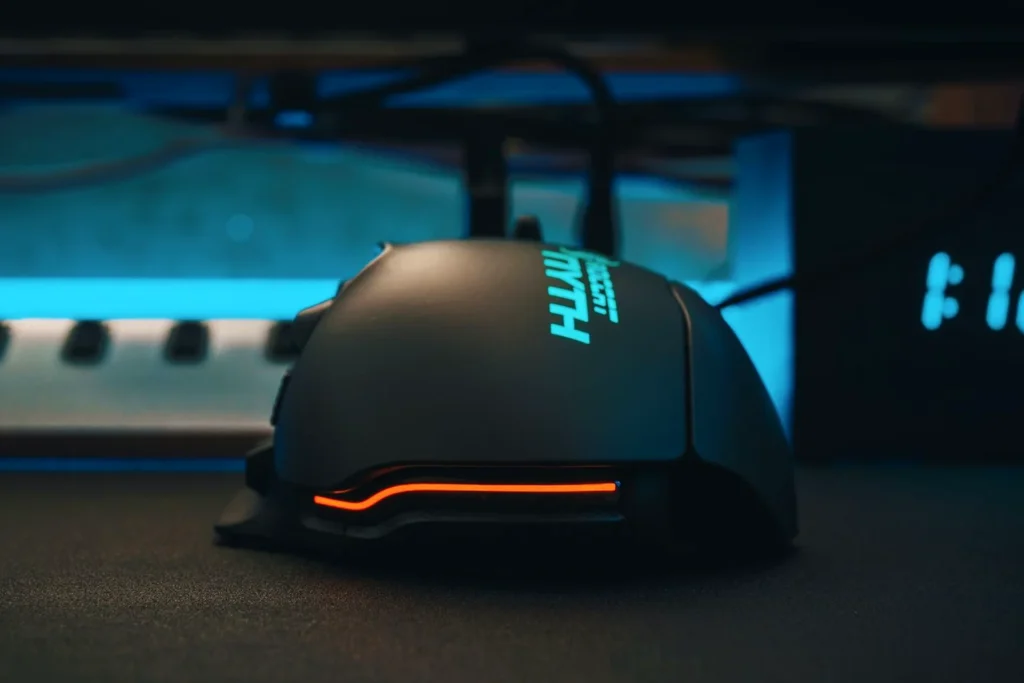
For most clickers, claw grip is the best balance of speed and control: arched fingertips press faster than a flat palm grip, while the palm base still anchors the mouse. Fingertip is fastest per press but least stable; palm is most stable but slowest.
Which one wins for you depends on your hand size, your mouse shape, and whether you value speed or comfort more. The way you hold your mouse decides how fast your fingers can press, how steady it stays, and how tired your hand gets. This guide goes further than the usual three-way comparison: it shows you how to identify your real grip in 30 seconds, what each grip does to your clicking speed with actual CPS ranges, which grip fits which game and technique, how to match your hand to a mouse with verified measurements, and when your grip is actually a symptom of a mouse that does not fit.
Find Your Grip in 30 Seconds
Forget the diagrams for a moment. The fastest way to find your grip is the gap check: play for ten minutes, then freeze your hand without adjusting it and look at it from the side, at desk level.
- No gap under your palm, fingers lying flat on the buttons: palm grip.
- A gap under the middle of your palm, with the rear of your palm still touching the mouse and your fingers arched: claw grip.
- A gap under your whole palm, with only your fingertips touching the mouse: fingertip grip.
- Somewhere between two of those: a hybrid grip — which is what most hands actually use, and is completely fine.
Now confirm it with a second check. Lift your hand off the mouse, shake it out, then rest it back on the mouse the way you would after booting up your PC — without looking down or posing your fingers. Note three things: which parts of your palm touch the shell, whether your fingers are flat or arched, and whether your wrist is resting on the desk or floating. That is your natural grip. It is the one your hand chose on its own, and it is almost always the right one to build around.
One more test, and it is the most useful one in this guide: run three 5-second CPS tests with your natural grip, keep the middle score, and write it down with the date, the test length, and the mouse. That number is your baseline. Without it, you cannot tell whether a different grip is actually better or just feels different. Our what is CPS guide explains how CPS is measured and why the test length matters.
Your grip is a habit, not a personality trait. It emerged from your hand size, your mouse, and your desk — and it can change. But changing it takes weeks of practice, so do not switch on the morning of an important match, and do not change your grip and your mouse at the same time. One change at a time, measured against your baseline, is the only way to know what worked.
Palm Grip: Comfort and Stability
With a palm grip, your entire hand rests on the mouse. The palm makes full contact with the rear hump, the fingers lie flat across the buttons, and the thumb and pinky rest on the sides. It is the most relaxed and natural position for most people, and the most common grip among casual players.
For clicking, palm’s greatest strength is stability. With so much of your hand on the mouse, it barely moves when you press a button. The most detailed aim comparison published in 2026, by FPS Train, rates palm’s clicking stability highest of the three grips — ahead of claw and fingertip — and also rates it best for tracking smoothness and for arm aiming at low sensitivity. When you press a button with a palm grip, the mouse stays where it is. That matters more than it sounds: a mouse that shifts a millimetre with every click costs you accuracy in every game you play.
The trade-off is speed. A flat finger travels further to press a button than an arched fingertip, and full-hand contact adds friction to every press. One click-test guide, RapidCPS, reports that most palm grip players plateau at 7 to 10 CPS for regular clicking — the lowest ceiling of the three grips. Palm grip also makes fast clicking techniques harder: butterfly clicking needs two alternating fingers on one button, and jitter clicking needs a loose, vibrating hand — both are awkward when the whole hand is planted on the shell.
Where palm wins outright is comfort. The hand is fully supported, so the wrist and fingers carry less load, which is why players who game for four or more hours a day — or play slower games like MMOs, RPGs, and MOBAs — usually find palm the most sustainable grip. It also suits arm aiming at low sensitivity, where large, smooth movements come from the elbow and shoulder rather than the wrist.
Palm grip pairs best with larger, ergonomic mice: a tall rear hump, a longer body, and a right-handed shape. Classic examples are the Razer DeathAdder line and the Logitech G502. If your mouse feels too small and your fingers hang over the front edge, you are probably a palm gripper using a claw-sized mouse — and that is a fit problem, not a grip problem.
Palm grip, in short: the most stable and least tiring grip, the slowest to click, and the best choice for long sessions and low-sensitivity arm aiming. If comfort and consistency matter more to you than peak CPS, palm is not a compromise — it is the right answer.
Claw Grip: The Clicker’s Middle Ground
With a claw grip, the heel of your palm rests on the back of the mouse while your fingers arch upward, pressing the buttons from above with the fingertips. The middle of the palm lifts off the shell. It looks tense, but when done right it is not — the arch comes from the finger joints, not from squeezing.
Claw is the most popular grip among professionals. In a May 2026 scrape of 142 publicly confirmed pro settings by FPS Train, claw was the most common grip overall at 53%, ahead of palm at 28% and fingertip at 12%, with hybrids at 7%. The split held across games: 53% claw in Counter-Strike 2, 50% in Valorant, 59% in Apex Legends, and 52% in Fortnite. That is not proof that claw is objectively best — pros choose grips for their hands and their mice, not by vote — but it is a clear sign of where competitive play has settled.
For clicking, claw is the sweet spot. Arched fingertips press with a shorter, snappier motion than flat palm fingers, while the palm base still anchors the mouse. The arch acts like a spring: the finger is already loaded, so each click is short and repeatable. RapidCPS reports regular clicking from claw typically delivers 8 to 12 CPS for players with average finger speed — faster than palm, and close enough to fingertip that the stability claw keeps is worth the small speed gap. That is why claw suits fast clicking techniques so well: our butterfly clicking tutorial relies on two alternating fingertips, exactly the claw position, and jitter clicking is easier with arched, loose fingers than planted ones. For the highest CPS without giving up control, claw is where most clickers land.
The cost is fatigue. Holding the arch for hours works the finger muscles harder than resting flat, and claw grippers tend to feel it first in the index and middle fingers. Claw also demands a mouse that fits: too long, and the arch collapses into a palm grip; too short, and the palm heel hangs off the back with nothing to rest on. And because the mouse is held by finger pressure rather than supported by the palm, claw grippers benefit more than anyone from a light mouse — the weight is carried by smaller muscles working harder, which is where the ultralight trend genuinely earns its keep.
Claw pairs best with medium, symmetrical mice — the shape most modern competitive mice are built around. The Logitech G Pro X Superlight 2 (60 g, 125 mm long) and the Razer Viper V3 Pro (54 g, 127.1 mm long) are both designed first for claw and fingertip hands. If you already use one of these and your fingers naturally arch, you are probably already a claw gripper.
Claw grip, in short: the fastest grip that still keeps the mouse steady, the most popular grip among pros, and the best starting answer for anyone who wants to click fast without giving up aim. Its only real cost is finger fatigue over very long sessions.
Fingertip Grip: Maximum Speed, Minimum Support
With a fingertip grip, only your fingertips touch the mouse. The palm never makes contact at all — the mouse floats in your hand, held by the thumb on one side and the ring and pinky fingers on the other, while the index and middle fingertips work the buttons. The wrist stays elevated off the desk, and small movements come from the fingers themselves.
This is the fastest grip for pressing buttons. With no palm dragging on the shell and the fingers already curled over the switches, each press is a tiny, isolated motion — and the same FPS Train comparison that rates palm highest for stability rates fingertip highest for button responsiveness, flick speed, and micro-adjustment precision. RapidCPS reports experienced fingertip users reaching 12 to 16 CPS with regular clicking, the highest ceiling of the three grips, and higher still with jitter technique. For pure CPS testing, fingertip has a real advantage: it moves the least mass per click.
In practice, fingertip is the hardest grip to use well. With nothing anchoring the mouse, it can rotate slightly with every click — the comparison rates its clicking stability lowest of the three — and it is the most tiring grip, since the fingers do all the holding and clicking. Most players find their aim gets worse before it gets better, and tracking smoothness suffers because there is no palm to steady the shell during larger movements. Fingertip also demands the most from your setup: it needs a small, very light mouse, and it works best at higher sensitivities where the fingers’ small movements are enough.
Fingertip grip needs a small, very light mouse — the sizing section below suggests under 50 g as the ideal, against 50–65 g for claw and 60–80 g for palm. That is why a heavy mouse like the 106 g Logitech G502 X Plus is a poor fingertip choice. Fingertip is a specialist grip: brilliant for high-sensitivity wrist aimers and short, fast clicking bursts, and punishing for everyone else. If your hand is small and your mouse is light, it is worth trying. If your hand is large, skip it — the mouse will feel like it is escaping your fingers, because it nearly is.
Fingertip grip, in short: the fastest presses and the finest micro-adjustments of any grip, at the price of stability, stamina, and a much smaller margin for error. Use it when speed and micro-control matter more than anything else, and only on a mouse light and small enough to hold with your fingers alone.
Hybrid Grips: What Most Hands Actually Do
Pure palm, claw, and fingertip are theoretical extremes. Real players blend them. Most people do not use one of the three — they use a claw grip that rests slightly more than a textbook claw, or a palm grip with arched index and middle fingers. The three categories are landmarks for reasoning about size, not a classification everyone must fit into.
Two hybrids are common enough to name. Relaxed claw has palm contact at the rear third of the mouse rather than only the edge, with fingers moderately arched. It behaves like claw for sizing and like palm for fatigue — the most common hybrid of all, and probably the one you use if you think you are a claw gripper but your palm touches more than just the heel. Claw-tip has no palm contact, but the fingers are arched rather than vertical. It sizes like fingertip and stabilises slightly better, because the arched fingers grip the sides more firmly than vertical ones.
FPS Train names two more blends from its pro data: the claw-palm hybrid, where the palm base contacts the rear hump but the fingers stay arched — about 30% of pros recorded as “palm” are actually claw-palm by this definition — and the claw-fingertip hybrid, where the palm base barely brushes the mouse and the fingers press through their tips. That last one is common among high-sensitivity players who want fingertip agility with claw stability.
Do not force yourself into a pure grip. Self-observe your natural neutral position and refine from there. If your hand sits between two categories, that is not a failure to pick correctly — it is your hand telling you what it wants. The grip test in the first section of this guide is more useful than any label: what matters is where your palm touches, how your fingers sit, and whether the mouse stays still when you click.
Which Grip Clicks Fastest?
Here is the honest ranking, for clicking speed specifically — not for aim, not for comfort, just for how fast and reliably you can press the buttons.
| Palm | Claw | Fingertip | |
|---|---|---|---|
| Button response | Slowest | Fast | Fastest |
| Clicking stability | Highest | Medium-high | Lowest |
| Flick speed | Medium | High | Highest |
| Micro-adjustment precision | Medium | Medium-high | Highest |
| Fatigue over long sessions | Lowest | Medium | Highest |
| Best for butterfly / jitter clicking | Poor | Excellent | Good |
| Best for long sessions | Excellent | Good | Poor |
And here are the CPS ranges each grip typically reaches with regular one-finger clicking, as reported by the click-test guide RapidCPS. These are reported ranges from a test site, not laboratory measurements — treat them as a realistic picture of what each grip usually delivers, not as a promise.
| Grip | Typical regular-clicking CPS | What caps it |
|---|---|---|
| Palm | 7–10 CPS | Flat fingers travel further per press; full-hand contact adds friction |
| Claw | 8–12 CPS | Arched fingers cycle faster; palm anchor keeps the mouse still |
| Fingertip | 12–16 CPS | Least mass moved per click; fingers already curled over the switches |
The table makes the trade-off clear. Palm is the most stable and the least tiring, but the slowest to click. Fingertip is the fastest to press, but the least stable and the most tiring. Claw sits in the middle on almost every row — fast enough to click at a competitive pace, stable enough to keep the mouse still, and sustainable enough for long sessions. That is why it is the best starting answer to “which grip should I use for clicking?”
Technique matters as much as grip: a palm gripper using butterfly clicking will still out-click a claw gripper using one flat finger. Drag clicking is the extreme case — it registers many clicks per finger movement through switch bounce. Our how to click faster guide covers the techniques that move the number, and our what is CPS guide explains how CPS is measured.
One more thing the table cannot show: consistency. In a 5-second test, fingertip might edge out claw; over 30 seconds, or an hour of Minecraft PvP, claw usually wins, because the hand that tires less clicks more evenly. The number that matters in a fight is the one you sustain — usually 4–8 CPS — not your one-second spike. For perspective, the verified world-record pace is 12.7 CPS for a full minute (see our CPS world records guide), and that was set by a professional with a specialised mouse and an adjudicator watching.
Which Grip for Which Game and Technique
Grip choice is not only about your hand. It is about what you are doing with it. Here is how the grips map onto the games and techniques clickers actually care about.
Minecraft PvP. Claw is the usual answer, and the most popular choice among competitive Minecraft PvP players for a reason: it works for both clicking and aiming without forcing a compromise in either direction. You need to click fast and track a moving target at the same time, and claw is the only grip that does both well. Palm is too slow for the clicking, fingertip too unstable for the tracking. If you play Minecraft PvP, start with claw. Our how to improve click speed guide covers the fundamentals that matter most in a fight.
FPS games (Valorant, CS2, Apex). This depends on your sensitivity and your role. Low-sensitivity arm aimers — the players sweeping a large mousepad at 45 cm or more per 360-degree turn — do best with palm, which stabilises those long sweeps. High-sensitivity wrist aimers do best with fingertip or claw, which make the small, fast corrections those games demand. Most pros land on claw because modern FPS play needs both: big flicks and fine corrections in the same round. The FPS Train data backs this up — claw is the majority grip in every FPS title it surveyed.
Jitter clicking. Claw, clearly. Jitter clicking works by vibrating the forearm and transmitting that vibration through the finger to the button, and it works best from a claw grip where the finger can transmit the vibration directly. From a full palm grip, the flatter finger contact reduces vibration efficiency and produces lower, less consistent jitter CPS. Fingertip can work, but the mouse is harder to hold steady while the arm vibrates. Read our jitter clicking safety guide before pushing the technique hard — it covers the warm-ups, the session limits, and the stop signals that matter more than any grip choice.
Butterfly clicking. Claw is the usual pick, because it provides enough finger arch for two fingers to alternate cleanly on the button. Fingertip also works and allows even faster alternation, but reduces aiming stability. One practical detail: butterfly clicking needs room for two fingers on the button, which is why wider, flatter buttons suit it — a narrow mouse with cramped buttons fights the technique whatever grip you use. Our butterfly clicking tutorial walks through finger placement, rhythm drills, and the mouse check that decides everything.
Drag clicking. Grip matters less here than the finger and the button surface. Drag clicking depends on friction between your finger and the button, and on the switch’s debounce behaviour, far more than on which grip you hold the mouse with. A relaxed claw or palm both work; what matters is the mouse. Our drag clicking guide explains the hardware, the technique, and the server rules to check first.
Long sessions and casual play. Palm, without question. If you play for four or more hours, or you play slower games where clicking speed is not the deciding factor, palm’s comfort and stability beat every other consideration. The fastest grip in the world is useless if your hand is too tired to use it in the third hour.
Hand Size and Mouse Size: How to Match Them
The most common grip mistake is using a mouse that does not fit the hand. Before buying anything, measure yours. Hold your hand flat and measure from the wrist crease to the tip of your middle finger (hand length), then across the widest part of your palm, not counting the thumb (hand width). The table below is from FPS Train’s 2026 guide, which uses five hand-size bands instead of the usual three — and the extra detail matters, because the difference between a 17 cm hand and a 19 cm hand is the difference between a mouse that fits and one that fights you.
| Hand size | Length | Width | Mouse length to try first | Easiest grips |
|---|---|---|---|---|
| Small | Under 17 cm | Under 8 cm | 110–118 mm | Fingertip, claw |
| Medium-small | 17–18 cm | 8–9 cm | 118–124 mm | Claw, fingertip, palm (snug) |
| Medium | 18–19 cm | 9–10 cm | 120–128 mm | All three grips |
| Medium-large | 19–20 cm | 10–11 cm | 125–133 mm | Palm, claw |
| Large | Over 20 cm | Over 11 cm | 130–140 mm | Palm, modified claw |
These are starting points, not rules — but if your mouse is more than a centimetre outside the range for your hand, that is the first thing to fix.
A second cross-check comes from Gear Geeks, which expresses the same idea as a percentage: multiply your hand length by the percentage for your grip, and that is the shell length that fits. Palm works at roughly 66–73% of hand length, claw at 61–69%, and fingertip at 56–65%. For a 19 cm hand, that means roughly 125–139 mm for palm, 116–131 mm for claw, and 106–124 mm for fingertip. Different guides give slightly different percentages — the older rule of thumb you may have seen (60% for fingertip, 75–85% for claw, 90–100% for palm) runs longer than Gear Geeks’ figures — so use either system as a way to narrow down choices, then try the mouse in your hand if you can. No percentage replaces ten seconds of holding the mouse.
Weight interacts with grip too, and it matters more than most buyers realise. The fingers carry the whole weight in a fingertip grip, so as a rough guide, palm suits up to 80 g, claw prefers 50–65 g, and fingertip wants under 50 g. That is also why claw grippers benefit most from ultralight mice: in a claw grip the mouse is held by finger pressure rather than supported by the palm, so every gram is carried by smaller muscles working harder. A palm gripper resting on a shell notices weight far less.
Best Mouse Shapes for Each Grip
Mouse shape matters more than sensor specs for grip. A perfect sensor in a shell that fights your hand will always lose to a good sensor in a shell that fits. Here are the shapes that suit each grip, with specifications verified on 23 November 2026. Prices are US list prices unless marked as street prices — and street prices move, so treat them as a snapshot, not a permanent figure.
| Mouse | Length | Weight | Shape | List price | Best grips |
|---|---|---|---|---|---|
| Logitech G Pro X Superlight 2 | 125 mm | 60 g | Symmetrical | $159.99 | Claw, fingertip, palm (medium hands) |
| Razer Viper V3 Pro | 127.1 mm | 54 g black / 55 g white | Symmetrical, flat | $159.99 (often $100–130 street, Nov 2026) | Claw, fingertip |
| Razer DeathAdder V3 Pro | 128 mm | 63 g black / 64 g white | Ergonomic, right-hand | $149.99 | Palm, claw (large hands) |
| Razer DeathAdder V4 Pro | 128 mm | 56 g black / 57 g white | Ergonomic, right-hand | $169.99 | Palm, claw (large hands) |
| Pulsar X2H Mini | 115.6 mm | 52 g | Symmetrical, high hump | $99.95 | Claw, fingertip (small hands) |
| ATTACK SHARK R5 Turbo | 119.5 mm | ~43–45 g | Symmetrical | $89.99 | Claw, fingertip |
| Zowie EC2-CW | 120 mm | 72 g | Ergonomic, right-hand | — | Palm, claw (medium hands) |
| Logitech G502 X Plus | 132 mm | 106 g | Ergonomic, right-hand | $159.99 | Palm only |
The Superlight 2 is the most grip-agnostic mouse here; the Viper V3 Pro suits claw and fingertip; the DeathAdder line is the classic palm shape, and the V4 Pro is the same shape 7 g lighter at a higher price; the Pulsar X2H Mini is the small-hand answer; and the G502 X Plus, at 106 g, is too heavy for fast-clicking use in any grip except palm. Both the Superlight 2 and Viper V3 Pro list at $159.99, so choose on shape, not price — ten seconds holding each tells you more than ten reviews. And if your budget is tighter, the ATTACK SHARK R5 Turbo is the cheapest ultralight on this table at $89.99 list, though its switches are still unconfirmed by any teardown — our ATTACK SHARK R5 Turbo guide explains what is confirmed and what is not.
For a deeper look at what actually matters in a clicking mouse beyond the marketing — switches, weight, and shape — see our best mouse for CPS guide.
When Your Grip Is a Symptom, Not a Preference
Occasionally a grip is not a preference but a workaround, and in that case changing the mouse is the correct fix. Gear Geeks’ diagnostic table is the clearest version of this idea published anywhere, and it is worth working through before you spend weeks retraining your hand.
| What you notice | Likely cause | Fix |
|---|---|---|
| You fingertip grip but wish you did not | Mouse too long: you cannot reach the buttons in a claw grip | Shorter shell |
| Your palm rests on the mousepad behind the mouse | Mouse too short for your hand | Longer shell, or accept it and treat it as a fingertip setup |
| Your thumb sits flat against the side wall, cannot pinch | Mouse too wide | Narrower shell |
| Your ring finger curls under the mouse and drags on the pad | Mouse too narrow, or side walls cut in too aggressively | Wider shell or straighter sides |
| You grip harder as the session goes on | Mouse too heavy for your grip, or shell too slippery | Lighter mouse, or grip tape |
The last row is the one most people miss. If you are gripping hard to stop the mouse slipping, adding texture to the sides lets you grip softer for the same control. Grip tape is the single cheapest change in this whole subject — a few dollars, applied to the side walls where your thumb and ring finger sit, not to the main buttons — and it addresses a genuine cause of forearm fatigue. It adds 2–3 g, which is trivial for most builds. Try it before you buy a new mouse.
The broader lesson is the same one this guide keeps returning to: if your grip feels wrong, the mouse is usually the problem, not your hand. Fix the fit first. Retrain the grip only when the fit is already right and you still want something different.
Grip, Sensitivity, and Aim Style
Grip does not act alone. It interacts with your sensitivity and with whether you aim with your arm or your wrist, and getting those three to agree is what makes a setup feel right.
Arm-aim means large mouse motions from the elbow. It suits low sensitivity (40+ cm of mouse movement per 360-degree turn), large mousepads, and palm or claw grip. Most CS2 AWP players are arm-palm or arm-claw. Wrist-aim means small mouse motions from the wrist. It suits higher sensitivity (15–30 cm per 360), small mousepads, and fingertip or claw. Most arena FPS rail-flick players are wrist-claw or wrist-fingertip. Hybrid aim — arm for large flicks, wrist for micro-corrections — is what most modern pros actually do, and claw is the grip that supports it best.
FPS Train’s sensitivity table puts it in one view:
| Mouse movement per 360° turn | Best aim method | Best grip |
|---|---|---|
| 10–20 cm | Wrist | Fingertip, claw |
| 20–30 cm | Wrist or hybrid | Claw, fingertip |
| 30–45 cm | Hybrid | Claw, palm |
| 45–60 cm | Arm + wrist micro | Palm, claw-palm |
| 60+ cm | Arm | Palm |
If your sensitivity and your grip disagree — say, a fingertip grip at 60 cm per 360 — you will feel it as a constant, low-level awkwardness: either the mouse is too twitchy for your grip, or your grip cannot make the movements your sensitivity demands. Match them, and the whole setup relaxes.
One more interaction worth knowing: lift-off distance, the height at which the sensor stops tracking when you lift the mouse to reposition it. Palm grip lifts the whole mouse easily, so a lift-off distance under 2 mm is tolerable. Claw lifts via the fingertips and needs it tighter, around 1–1.5 mm. Fingertip lifts via a thumb-and-fingers pinch and needs it tightest, under 1 mm. Modern flagship mice let you set lift-off distance in their software — set it low for claw and fingertip, medium for palm. A bad lift-off setting causes phantom mouse drift during repositioning, the kind of bug that ruins flicks and that you cannot diagnose until you look at the driver setting.
How to Switch Grips Without Wrecking Your Aim
If you want to try a different grip, do not switch all at once. A new grip feels wrong for days and your aim gets worse — most people quit before it has a chance. Switch gradually, and measure whether it is working.
First, test your current grip. Run three 5-second CPS tests, keep the middle score, same mouse and test length every time. That is your baseline — without it, you cannot tell whether the new grip is actually better. Our 30-day click speed training plan explains how to structure practice and testing, and our CPS tracker guide covers timing, warm-ups, and tracking in detail.
Second, use the new grip 20–30 minutes a day in casual games, your old grip for everything else. After a week, move it to half your play time. Expect your performance to dip for two to three weeks — that is normal, and it is the point where most people quit. Do not change your grip and your mouse at the same time, and do not change your grip and your clicking technique at the same time either: a new grip on a familiar mouse isolates the variable, and one change at a time is the only way to know what worked.
Third, test again after two weeks, and again after four to six weeks. Faster or more comfortable? Keep it. Slower and still hurting? Go back — the grip that fits your hand beats the grip that fits a pro’s hand. Full adaptation can take up to six weeks before the new grip outperforms the old one, so give it that long before you judge it. And expect your sensitivity to feel wrong during the transition: adjust DPI only after the grip settles, not while it is still changing.
The honest truth about switching: it is usually not worth it. Your existing grip is nearly always the right one to build around, and the exception is when your grip is a workaround for a mouse that does not fit. Fix the mouse first. Switch grips only when the fit is right and you still want something different — and then commit to it for at least a month.
Grip and Hand Pain: Warning Signs
Grip choice is also a health choice. The wrong grip on the wrong mouse forces your hand into positions it does not like, and over weeks and months that shows up as pain. This section is general information, not medical advice — if something hurts persistently, see a health professional.
The warning signs are the same whatever grip you use. According to the NHS, repetitive strain injury (RSI) is a term for pain caused by repeated movement of part of the body, and its symptoms usually start gradually: pain that may feel like burning, aching or throbbing; stiffness and weakness; tingling, pins-and-needles or numbness; muscle cramps; and swelling. The NHS advises seeing a GP if the symptoms are not going away or are getting worse — its guidance was last reviewed on 28 May 2026. Stop and rest when any of these appear. Pain means quit for the day, not push through.
Different grips strain different parts of the hand. Palm grip strains the fingers and wrist least over long sessions, because the hand is supported — but it loads the forearm, which is why forearm stretches and wrist circles are the right warm-up for palm players. Claw and fingertip ask more of the small finger muscles, so take a short break every hour and stretch: finger spreads and knuckle flexes for claw, finger curls and thumb opposition for fingertip. Past 90 minutes of continuous play, any grip degrades — take a 10-minute break every 45–60 minutes to reset muscle tension, and learn your own endurance window by noticing when your performance starts to dip.
Some players need grip modifications for specific hand problems, and FPS Train’s guidance here is practical rather than medical: players with carpal tunnel symptoms generally do better shifting to a palm grip on an ergonomic mouse with a neutral wrist angle, and should avoid claw and fingertip, which put more pressure on the median nerve. Players with trigger finger or RSI should avoid claw, which requires sustained finger arching, because palm distributes the load away from the affected tendons. Players with thumb arthritis should avoid any grip that requires aggressive thumb-side gripping, and a lighter mouse (50–55 g) allows looser thumb engagement. Players with sweaty palms should avoid palm grip — more skin contact means more sweat-related slip — and use claw or fingertip with grip tape instead. None of this replaces a doctor: if you have a diagnosed hand condition, follow your clinician’s advice over any gaming guide.
If you already have hand pain, the fix is rarely a new grip alone. Rest first, then look at mouse weight, grip, session length, and desk setup. Keep sessions short, and never train through numbness or sharp pain — no CPS score is worth an injury.
Small Upgrades That Help Every Grip
Before you buy a new mouse, three cheap changes can make your current grip work better.
Grip tape. Textured rubber stickers applied to the side walls where your thumb and ring finger sit increase friction, so you can grip softer for the same control. It costs a few dollars, adds 2–3 g, and is the single cheapest fix for a mouse that slips. Do not put it on the main buttons.
Skates. Replacing stock dot skates with full-coverage PTFE or glass-PTFE skates reduces friction and lets your grip force be lower. This helps claw and fingertip players most, because they do not want to engage the wrist for every small movement. A smoother glide means a lighter hold.
Mousepad. The pad and the grip interact more than most players realise. Control pads (high friction) suit palm and claw, because they reward slower, deliberate motions. Speed pads (low friction) suit fingertip and high-sensitivity players who need easy mouse glide. Hybrid pads (medium friction) work for most grips. If you are a palm-grip player on a fast speed pad and the mouse feels less controlled than expected, try a control pad before you blame your grip.
Add-ons should be considered after grip and mouse are right, not before. A grip-tape kit on a wrong-sized mouse fixes nothing — but on the right-sized mouse, it can be the difference between a grip that tires you out and one that disappears into the background.
Frequently Asked Questions
Which mouse grip is best for clicking fast?
For most clickers, claw grip: arched fingertips press faster than a flat palm, while the palm base still anchors the mouse. Fingertip is fastest per press but least stable, so claw wins for sustained clicking; palm is most stable but slowest. Typical regular-clicking ranges are 7–10 CPS for palm, 8–12 CPS for claw, and 12–16 CPS for fingertip.
Is palm grip bad for gaming?
No — palm is the most comfortable and stable grip, great for long sessions and arm aiming. It is slower for rapid clicking and makes butterfly and jitter clicking harder, but many high-ranked players use it successfully at low sensitivity. In FPS Train’s May 2026 survey of 142 pros, 28% used palm.
Is claw grip better than fingertip?
For most players, yes. Claw is nearly as fast as fingertip, far more stable, and less tiring. Fingertip only wins for small hands on very light mice, and high-sensitivity wrist aimers who value micro-adjustments above all. Claw is also the most common grip among professionals, at 53% of the 142 pros surveyed in May 2026.
How do I know my hand size for a mouse?
Measure wrist crease to middle-finger tip (length) and across the widest part of your palm, minus the thumb (width). Small is under 17 cm long and under 8 cm wide; medium 17–19 cm; large over 19 cm. Match the mouse length to the table above — and as a cross-check, multiply your hand length by the percentage for your grip: roughly 66–73% for palm, 61–69% for claw, 56–65% for fingertip.
Can I change my mouse grip?
Yes, but give it about two weeks before it starts feeling natural, and up to six weeks before it outperforms your old grip: 20–30 minutes a day in casual games, CPS tested before and after with the same test length and mouse, one change at a time. Still slower and uncomfortable after two weeks? Keep going a little longer — but if it still hurts after six weeks, go back. Fit beats fashion.
What mouse is best for claw grip?
Medium, symmetrical mice. The Logitech G Pro X Superlight 2 (60 g, 125 mm, $159.99) and Razer Viper V3 Pro (54 g, 127.1 mm, $159.99 list, often $100–130 street in November 2026) are the two most common claw picks among competitive players in 2026 — both light, symmetrical, and built for the claw hand. For small hands, the Pulsar X2H Mini (52 g, 115.6 mm, $99.95) is the better fit.
The bottom line: there is no single best mouse grip — only a best grip for your hand, your mouse, and the way you play. Palm gives comfort and stability, fingertip gives the fastest presses, and claw gives most of both, which is why it is the default for most competitive players. Measure your hand, match the mouse, test your CPS before and after any change, and let the numbers decide. And if your grip feels wrong, check the mouse first — a grip that fights you is usually a symptom, not a preference.
Pingback: Jitter Clicking Safely: A Beginner's Guide to Faster CPS Without Injury
Pingback: ROG Gladius IV Ace: Japan Launch Oct 30 — What Clickers Need to Know
Pingback: ATTACK SHARK R5 TURBO: 43g Carbon Fiber Mouse — Hype or Real Clicking Upgrade?
Pingback: Best Mouse for CPS in 2026: Picks for Butterfly, Drag, and Jitter Clicking