
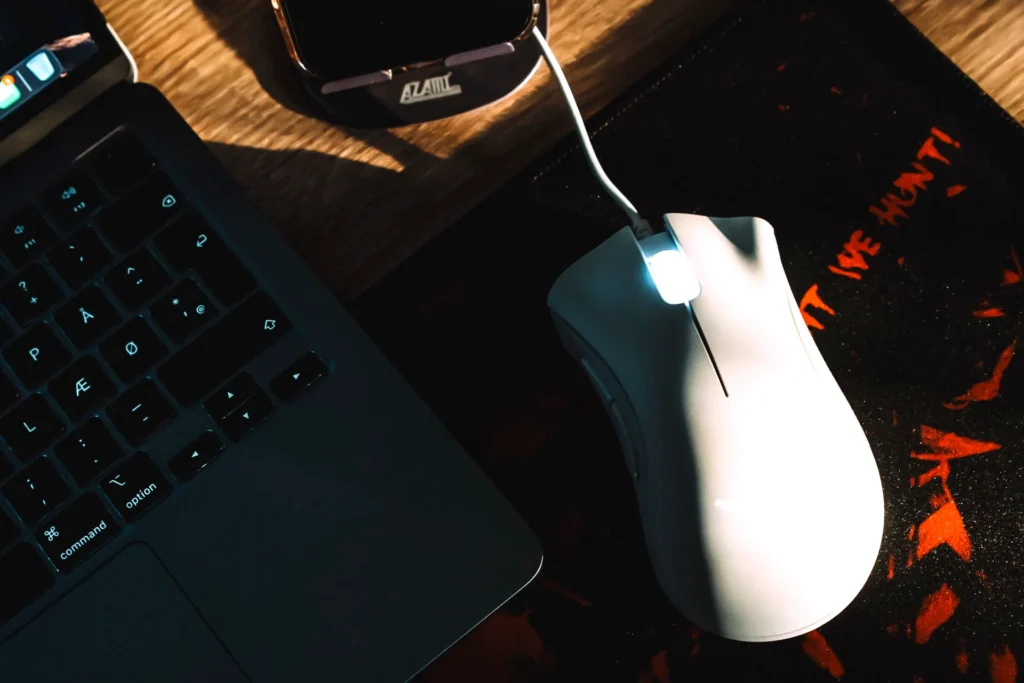
The only verified CPS world record is 760 mouse clicks in one minute — about 12.7 clicks per second — set by Yiğit Arslan and confirmed by Guinness World Records on 10 February 2026. Almost every bigger number online is a different test, a hardware trick, or simply unverified.
If you have ever taken a click speed test, seen a leaderboard number that looked impossible, or wondered whether your 9 CPS is good, this is the honest answer. No inflated claims, no borrowed “records” from random test sites — just the verified record, the community records that exist alongside it, the famous claims that fell apart, and a clear way to judge your own speed.
Every Record You Can Actually Check
There is no single CPS world record, because CPS depends on how long the test lasts. A one-second burst always scores higher than a minute of steady clicking. What exists instead is a small set of records for fixed time limits — and only one of them comes from Guinness World Records. Here is the whole list, with the proof level of each one stated plainly.
| Record | Result | Holder | Date | Record keeper | Status |
|---|---|---|---|---|---|
| Most mouse clicks in 1 minute | 760 clicks (12.67 CPS) | Yiğit Arslan (Yigox), Türkiye | 10 Feb 2026 | Guinness World Records | Verified — official adjudicator on site, certificate issued |
| Most mouse clicks in 30 seconds | 830 clicks (27.67 CPS) | Tom Andre Seppola, Norway | 13 Oct 2010 | RecordSetter | Community-verified — video check only; the record page does not say how many buttons were used |
| Most mouse clicks in 10 seconds (three buttons) | 402 clicks (40.2 CPS total) | Tom Andre Seppola, Norway | 12 Nov 2010 | RecordSetter | Community-verified — video check only; three buttons, not one |
| Most mouse clicks in 10 seconds (one button) | 121 clicks (12.1 CPS) | Ben Hughes, England | 22 Jun 2009 | RecordSetter | Community-verified — witnessed, video evidence on record |
| Most mouse clicks in 1 minute (challenger) | 811 clicks (13.52 CPS) | Sean K., USA | 13 Jun 2026 | Awaiting Guinness verification | Unconfirmed — no Guinness confirmation reported as of 23 Nov 2026 |
| 1-second and 5-second CPS | None verified | — | — | No record keeper lists one | No verified record exists |
Two things jump out of that table. First, the Guinness record is the smallest number on it — and the only one with an adjudicator in the room. Second, the two Seppola records look enormous until you read the fine print: the 30-second record does not say how many buttons were used, and the 10-second record used three buttons at once. A record is only meaningful when you know the test length, the technique, the button count, and the equipment — and this table is the only place on the internet that puts all of that in one view.
The Guinness Record: The Only One With an Adjudicator
Guinness World Records lists one official title for clicking speed: most mouse clicks in one minute. The record is 760 clicks, set by Yiğit Arslan — known in esports as Yigox — on 10 February 2026 in Istanbul, Türkiye. Arslan is a professional Valorant player with FUT Esports, and he was 18 years old when he set the record. The attempt took place at the FUT House, the team’s training facility, under the supervision of an official Guinness adjudicator, who verified every click and presented Arslan with a certificate afterwards.
The category itself was brand new. Guinness set the minimum to qualify at 750 clicks in 60 seconds, and Arslan finished at 760 — ten clicks above the bar, with no second takes and no editing. Divide 760 by 60 and you get about 12.7 clicks per second, sustained for a full minute without a break.
The story behind the attempt matters, because it explains both why the record exists and why it is trustworthy. Logitech G was preparing to launch the PRO X2 SUPERSTRIKE mouse, a mouse engineered for click speed, and wanted a launch moment that would prove the hardware under real pressure rather than just describe it. Guinness’s consultancy team proposed the record idea, and Logitech G teamed up with Arslan to attempt it. Guinness’s own case study says so openly — and that openness is a strength, not a weakness. The record was a brand launch moment, and the mouse is named in it: Logitech G is listed as a joint holder alongside Arslan. That does not make the result less real. It makes the conditions transparent, which is exactly what a record needs.
The mouse matters to the story, and Guinness says so openly. Arslan used the Logitech G PRO X2 SUPERSTRIKE, a mouse built around a system Logitech calls HITS — the Haptic Inductive Trigger System — which is designed to register clicks with very low actuation force and very low latency. In his own testing before the attempt, Arslan said he could not get past about 550 clicks in a minute with a standard office mouse, while the SUPERSTRIKE consistently took him past 750. That is roughly 36 percent higher from the hardware alone, and it is exactly why this record is interesting: it sits right on the line between human skill and hardware help.
That line is the whole subject of this article. A record set with a specialized mouse, under an adjudicator’s eye, with a published count and a certificate, is a record. A number on a click-test leaderboard with no name, no video, and no rules is not — no matter how big it looks.
One more detail worth knowing: Guinness’s record pages do not publish detailed rules for this title — for example, which clicking technique was allowed. Honest record trackers do not repeat rule claims from social media or fan sites for that reason, and neither do we. What is published is the count, the date, the place, the holder, the mouse, and the adjudication. That is enough to call it verified, and it is more than any other clicking claim can offer.
The Challenger: 811 Clicks, Still Waiting
One more thing worth knowing: the record is already being chased. In June 2026, a US high-school graduate, Sean K., attempted the same title and recorded 811 clicks in 60 seconds — 51 more than Arslan, or about 13.5 clicks per second. The attempt took place on 13 June 2026, following Guinness guidelines, with a teacher, Mr. Potter, serving as one of the official witnesses. His school’s news story reported the result the same month and said he was awaiting official verification by Guinness, which it noted can take two to three months.
As of 23 November 2026, no confirmation of the 811 attempt has been reported anywhere. When the Guinness record page was last checked on 15 October 2026, it still listed 760 clicks. Five months after the attempt, with the school’s own two-to-three-month window long past, the official answer stays at 760. That does not mean the 811 attempt failed — Guinness verification is slow, and records are not always published online straight away. But until Guinness confirms a new mark, 760 remains the verified record — and that is exactly how records should work: a claim plus proof, not just a bigger number.
If the 811 is ever confirmed, it will be a remarkable result in its own right: 13.5 CPS sustained for a full minute would beat the current record by nearly 7 percent. Until then, treat it as what it is — an impressive, witnessed attempt that is still waiting for its verdict.
The RecordSetter Records: Real, But Lighter Proof
Guinness is not the only record keeper in this space. RecordSetter is a community site where anyone can upload a video of a record attempt, and it holds two clicking records that predate the Guinness title by more than fifteen years. Both belong to the same person: Tom Andre Seppola of Norway.
The first is the most mouse clicks in 30 seconds: 830 clicks, set on 13 October 2010. That works out to 27.67 CPS — more than double the Guinness pace. The second is the most mouse clicks in 10 seconds: 402 clicks, set on 12 November 2010. That works out to 40.2 CPS in total. Both entries passed RecordSetter’s video check, and the site’s rules for these records ask for video evidence showing a finger clicking the mouse and the final result on screen, with no auto clickers allowed.
That is a real check — but it is much lighter than having an adjudicator in the room, and the fine print matters enormously. The 10-second record needs care: Seppola clicked three mouse buttons, so 402 clicks is a total across several fingers on several buttons. It is not comparable with a normal one-button CPS test, where every click goes to the same button. Divided by three, it is a little over 13 clicks per second on each button — which is close to the pace of the Guinness one-minute record, and suddenly looks a lot less superhuman. The 30-second record has the same problem in reverse: the record page does not say how many buttons were used, so the 27.67 CPS figure cannot be compared with a one-button score at all.
This is also where a common error creeps in. At least one popular blog describes Seppola’s 402-click record as “402 clicks in 10 seconds, averaging 12.1 CPS through jitter clicking.” That is wrong on both counts: 402 divided by 10 is 40.2, not 12.1 — and the 12.1 figure belongs to a different person entirely. Errors like that are how this niche gets so confusing: one site misreads a number, the next site copies it, and within a year the wrong version is everywhere.
The 12.1 CPS figure belongs to Ben Hughes of Greater Manchester, England, who set the most credible one-button 10-second record: 121 clicks in 10 seconds, on 22 June 2009, using the World Mouse Clicking Championship website, witnessed by Michelle Hughes, with video evidence on record. It is the most commonly referenced legitimate benchmark for the 10-second format — and it is a RecordSetter community record, not a Guinness title, which is why it sits in a lower verification tier. But it is the number serious clickers actually measure themselves against for ten seconds: 12.1 CPS, one button, one finger, witnessed and filmed.
No record keeper lists a 1-second or 5-second CPS record. Searches for “world record CPS in 1 second” or “CPS world record 5 seconds” lead to CPS test sites that quote a name and a number with no link, no video, and no date. None of those figures could be traced to Guinness or RecordSetter, so they do not belong in the table above.
Why the Test Length Changes Everything
CPS means clicks per second: total clicks divided by seconds. That sounds simple, but the length of the test changes the result so much that comparing scores from different test lengths is meaningless. For a full explanation of how CPS is calculated and what the different test lengths measure, see our what is CPS guide.
A one-second test measures a burst. Your finger is fresh, you can throw everything into a single second, and one extra click swings the result by a full CPS. A five-second test is the most common length on click-test sites, and it is where most “world record” claims live. A ten-second test — the length the Kohi Minecraft community made the standard — starts to test stamina as well as speed. A thirty-second test is an endurance event in disguise. And a sixty-second test is a different sport entirely: your hand tires, your rhythm breaks, and holding even 10 CPS for a full minute is genuinely hard.
This is why the Guinness record is a one-minute record, and why it is so much more impressive than a big one-second number. Anyone can spike to 14 or 15 CPS for a single second. Holding 12.7 CPS for sixty seconds, with an adjudicator watching, is a different achievement. The longer the test, the more honest the number.
It also explains why your own scores jump around. If you score 11 CPS in a 5-second test and 8 CPS in a 30-second test, neither number is wrong — they are measuring different things. The short test shows your burst speed. The long test shows what you can actually sustain in a game. When you compare yourself to a record, always check the test length first. A 15 CPS claim from a 1-second test and a 12.7 CPS Guinness record from a 60-second test are not in the same league, and the 60-second number is the harder one.
There is also a measuring problem with very short tests that most sites never mention. In a 1-second test, each extra click adds a full 1.0 to your CPS, and a few milliseconds of reaction time at the start can cost you a click. In a 5-second test, each click is worth 0.2 CPS. In a 10-second test, each click is worth 0.1. That is why scores on 1-second tests jump around so much — and why a 1-second “record” says more about luck and timing than about skill.
The Claims That Do Not Hold Up
Several numbers are repeated across dozens of sites. Here is what happened to each one when it was actually checked.
Dylan Allred: 1,051 clicks in 10 seconds — DENIED
The figure most widely cited as “the 10-second world record” is Dylan Allred’s submission to RecordSetter: 1,051 clicks in 10 seconds, or 105.1 CPS. RecordSetter officially denied this submission, with the rejection printed on the record page itself: “DENIED: Does not follow rule of use of auto-clickers not permitted.”
Despite this official denial, the figure continues to be cited as fact across dozens of CPS test websites. It is not a legitimate record. To be blunt about the math: 105.1 CPS means a click roughly every 9.5 milliseconds, sustained for ten straight seconds. No finger moves like that. The figure most likely reflects an auto-clicker, a keyboard macro, or a script. The fact that the denial is printed on the very page these sites copy from — and still gets left out — tells you everything about how this niche handles corrections: it doesn’t.
“Dylan Allred, 14.1 CPS, Guinness 2018” — FALSE
A separate, far more credible-sounding figure also floats around attached to the same name: roughly 14.1 CPS over 10 seconds, described on some sites as “recognized by Guinness World Records in 2018” and “the current gold standard for world records.” That claim is false. Guinness lists no clicking record from 2018, and no Guinness record for 10 seconds at all. The only Guinness clicking title is the 2026 one-minute record.
The 14.1 figure is most likely a garbled version of a real number — 141 clicks in 10 seconds would be 14.1 CPS — but no record keeper has published such a result under that name, and no source can be traced for it. It is a claim wearing a Guinness label it never earned. If a site tells you Guinness recognized a 10-second clicking record in 2018, that site has not checked Guinness.
“105 CPS over 10 seconds” — a misread number
One popular guide lists “105 CPS over 10 seconds,” then admits the average is 10.51 CPS — the 105 is the total click count, not the per-second rate. The big number is what gets shared. Always divide: total clicks divided by seconds is the only CPS that counts.
Listicle leaderboard names — unverified
Some listicles publish top-ten tables of “world record” clickers with names and numbers — Ben Tolliday at 143 clicks in 10 seconds (14.3 CPS), Dylan Allred at 133 clicks (13.3 CPS), and others down the list. None of these names trace back to a record keeper’s website, a video, or a date. They are leaderboard entries copied from one listicle to the next. Treat them as rumours, not records.
Figures of thousands of clicks per second — impossible
Some blogs mention numbers in the thousands. No human finger can do that, and no record body lists anything like it. Numbers that high come from software, broken switches, or pure invention.
“Kohi world record” — no such thing
Kohi was a Minecraft PvP server that gave its name to the Kohi click test — a 10-second test format, not a record holder. There is no official Kohi record table, and no one holds a Kohi title. If a site quotes a “Kohi world record,” it is confusing a test format with a record book.
Contradictory numbers on test sites — unverified
Some click-test sites publish world-record figures that contradict themselves on the same page — one line says 17.4 CPS, another says 14.1 CPS, with no source for either. When a site cannot agree with itself, there is nothing to verify. Leave those numbers out of your head entirely.
Jordan Hum: 14 CPS over 5 seconds — community benchmark, self-reported
One figure that is worth mentioning honestly is Jordan Hum’s score of 14 CPS (70 clicks) over 5 seconds, widely referenced in the Minecraft PvP community as a benchmark for competitive-level jitter clicking. It is self-reported rather than formally adjudicated, but it is broadly consistent with what high-level practitioners achieve — and it is presented here as a community benchmark, not a record. That distinction is the whole point of this guide.
How Records Get Verified: Four Tiers
Not all “records” are equal. Here is how the verification tiers actually work, from strongest to weakest.
Guinness World Records (highest tier). Requires an official adjudicator present on-site, strict measurement protocols, and formal certification. Currently recognises only the 60-second format. The Yigox record is the only one in this tier.
Arealme.com (strongest community standard). Since March 2024, this click-test platform has required unedited video showing both hands and the screen simultaneously, plus anti-cheat analysis of click-interval regularity — suspiciously consistent intervals flag as auto-clicker use. It categorises results by device (desktop, phone, tablet) and technique (one finger, one hand, two hands). With tens of millions of players, it is the largest database of verified click-speed results. Its video-verified leaderboard reports 1-second records in the 16–20 CPS range for regular and jitter clicking, a 1-second jitter record of 26 CPS (DPNHK, South Africa), and a 5-second butterfly record of 24 CPS (CHA YIAN, South Korea). These are the most credible short-test benchmarks available — but they are leaderboard entries, not adjudicated titles, and we could not load the leaderboard directly to re-check them on 23 November 2026, so they are reported here as cited by other record trackers.
RecordSetter (variable, community moderation). Requires video evidence and prohibits auto-clickers. Enforcement is inconsistent — Dylan Allred’s denied record still appears on the platform. Treat RecordSetter records as “community-verified” rather than formally adjudicated.
Most CPS test websites (no meaningful verification). Scores can be manipulated through browser developer tools. “Records” are typically self-reported or borrowed from other sources without checking verification status. Treat figures from these sources as illustrative, not authoritative.
The rule is simple: a record is worth exactly as much as the proof behind it. Adjudicator in the room beats video beats screenshot beats a number on a leaderboard with no name attached.
Hardware vs Hands: Where the Line Sits
Every CPS record is a partnership between a hand and a mouse, and the mouse’s share of the work varies enormously. Understanding that split is the key to judging any record honestly.
The clearest example is the Guinness record itself. Arslan’s 760 clicks came with a mouse engineered for click speed — the PRO X2 SUPERSTRIKE’s HITS system cuts actuation force and latency so each click takes less effort and registers faster. His own comparison says it all: about 550 clicks a minute on a standard office mouse, more than 750 on the SUPERSTRIKE. Same hand, same minute, very different result. The record is real and verified, but it is also a hardware-assisted record, and Guinness published the mouse model on the certificate. That transparency is what makes it trustworthy.
Two hardware details decide how much help a mouse gives you. The first is debounce time: mechanical switches bounce when they close, and the mouse’s firmware ignores those extra signals for a few milliseconds so one press counts as one click. Shorter debounce means more of those bounces slip through as extra clicks. The second is polling rate: how often the mouse reports to the computer, up to 8000 times a second on modern gaming mice. A higher polling rate makes clicks register sooner and more consistently, but it does not create clicks by itself — and even 125 Hz polling reports the mouse state every 8 ms, far quicker than anyone clicks, so polling rate is rarely the limit. Both matter, and both are worth understanding before you buy a mouse for clicking — our best mouse for CPS guide covers switches, weight, and shape in detail, and our polling rate and debounce guide explains what each one actually does to your score.
None of this makes hardware-assisted records fake. It makes them conditional. A record is only meaningful when you know the test length, the technique, and the equipment. The Guinness record tells you all three. Most online “records” tell you none of them.
Records by Technique: What Each Method Can Actually Do
Technique is part of the story too. The high short-burst numbers almost always come from butterfly clicking or jitter clicking rather than ordinary clicking — two fingers alternating, or a vibrating hand, instead of one finger pressing deliberately. Both are legitimate techniques when done by hand, and both are covered in depth here: our butterfly clicking tutorial and our jitter clicking safety guide. What they are not is ordinary clicking, and a butterfly-click score should never be compared to a normal-click score as if they were the same test.
Here is where each technique actually lands, based on the credible benchmarks above — not on leaderboard screenshots.
| Technique | Credible ceiling | What limits it |
|---|---|---|
| Normal clicking | 12–14 CPS sustained over 10 seconds | Finger speed and stamina; research on finger tapping generally puts untrained single-finger tapping at roughly 6–8 taps per second sustained, with trained individuals reaching 12–14 in shorter bursts |
| Jitter clicking | 14–16 CPS sustained; 1-second peaks to ~26 CPS | Forearm vibration frequency and fatigue; the vibration rate itself becomes the limit before the switch does |
| Butterfly clicking | 24–26 CPS sustained | Each finger independently caps at roughly 12–13 CPS; combining two fingers in proper alternation roughly doubles it. Scores above 26 CPS attributed to butterfly usually reflect switch double-clicking, not technique |
| Drag clicking | 50–100 CPS peak bursts, hardware-dependent | Friction and switch bounce, not finger speed; credible sustained drag clicking with optimised hardware (Bloody A70, Glorious Model O with grip tape, Roccat Kone XP) produces 50–80 CPS. Claims above 150 CPS are considered anomalies — switch malfunctions or hardware faults |
At the other end of the scale sits drag clicking. When you drag a finger across a mouse button, the friction makes the switch bounce and register many clicks from one movement. Some drag-clicking setups genuinely register 25 or more clicks per second — but a large share of those clicks comes from the switch bouncing, not from the finger moving. That is why drag clicking is treated so cautiously by servers: the number on screen overstates what the hand actually did. It is also why drag-clicking numbers and normal-clicking numbers should never share a leaderboard. Drag clicking is best understood as a hardware capability test rather than a human performance benchmark — and it is banned on virtually every competitive Minecraft server.
The honest summary: the realistic ceiling for legitimate single- or double-finger clicking is roughly 14 to 16 CPS. That is exactly where the credible “record” claims sit — Ben Hughes at 12.1 CPS over 10 seconds, the Guinness record at 12.67 CPS over 60 seconds, Jordan Hum at 14 CPS over 5 seconds. When the believable claims all cluster in the same narrow band, that band is the truth. Everything far above it is friction, hardware, or software.
What Your Score Actually Means
With the record in context, here is how to read your own score. These bands are for a standard 5-second test with normal clicking, using one finger — the most common setup. They are drawn from what click-test sites report for typical scores, not from any official scale, because no official scale exists.
| 5-second CPS | What it means |
|---|---|
| 4–8 CPS | Typical. Most people land here with one finger and no special technique. If this is you, you are normal, not slow. |
| 9–11 CPS | Good. Above average, and around the level where clicking starts to feel fast in games. |
| 12–13 CPS | Excellent. Exceptional for normal clicking — roughly the Guinness record pace, but only for 5 seconds instead of 60. |
| 14+ CPS | Almost certainly technique or hardware. Butterfly, jitter, or drag clicking, or a mouse with very low debounce. Compare it only with scores made the same way. |
Two things matter more than the raw number. First, the test length: a 12 CPS score in a 1-second test is a spike, while 12 CPS in a 10-second test is a genuinely strong result. Second, the game you play. In Minecraft PvP, most fights are effectively decided at 4–8 CPS — the range most players actually sustain in combat — because aim, timing, and movement matter at least as much as raw click rate. Our CPS for Minecraft PvP guide explains how much speed you really need, and why more is not always better.
If your score is lower than you hoped, that is useful information, not a verdict. Speed is trainable, and a structured routine beats random clicking every time — see our 30-day click speed training plan.
How to Test Yourself So the Number Means Something
A CPS score is only useful if you can compare it with your own past scores. Here is how to make your testing honest.
First, pick one test length and stick to it. Five seconds is the most common, ten seconds matches the old Kohi standard, and sixty seconds tests endurance. Any of them works — but switching lengths between sessions makes your results impossible to compare. The 10-second test is the fairest single choice if you want one number that means something: it is long enough to expose whether you can sustain a rate rather than just spike it, and short enough to repeat several times in one session.
Second, use the same mouse every time. As the Guinness record shows, hardware alone can swing a score by a third, so changing mice between tests tells you about the mouse, not about your hand.
Third, warm up and take five runs, then keep the middle one. A single run is noisy: one lucky run or one stumble can move the result by a full CPS. Five runs, sorted, middle one taken — that is your score. Three runs will do if you are short on time, but five is better, and your best run is a story, not a measurement.
Fourth, rest between runs. Thirty to sixty seconds of rest between attempts keeps fatigue out of the later runs. Clicking at full speed is tiring, and a tired hand scores lower — that is fatigue, not lost skill.
Fifth, write the number down with the date, the test length, the technique, and the mouse. A simple log turns random testing into real progress tracking. A score without context is a number you will misread next month.
Our CPS tracker guide walks through timing, warm-ups, and tracking in detail. And if you want to improve rather than just measure, our how to click faster guide covers the techniques that actually move the number — practiced properly, with rest built in — and our how to improve click speed guide covers the fundamentals.
One more thing: never test yourself with an auto clicker running, and never compare your hand score with a number made by software. Automated clicking is banned on most multiplayer servers, and a software-made score teaches you nothing about your own speed. The rules, the risks, and where automation is actually allowed are covered in our auto clickers guide.
How to Make Your Own Record Attempt
If you want a result that other people will believe, plan it like a record keeper would check it.
- Pick a fixed time limit. One minute is the only length with an official Guinness title, so it is the obvious target. If you want a 10-second benchmark instead, Ben Hughes’s 121 clicks is the community mark to chase.
- Choose your technique and stick to it. Write down whether you used normal, jitter, or butterfly clicking. A score without the method is hard to compare.
- Film your hand and the screen together in one continuous take, with the start and the final result visible. This is what RecordSetter asks for, and it is the minimum any serious claim needs.
- Use no software help. No macros, no auto clickers, and no mouse settings that repeat clicks.
- Apply to the record keeper. For a Guinness title, you apply through Guinness World Records and follow their guidelines; the Hunter College attempt shows that verification can take months. For a community record, submit to RecordSetter with the video.
Warm up first, and stop if your hand or forearm hurts. Fast clicking for long periods puts the same strain on the hand as other repetitive work, and health guidance lists aching pain, stiffness, and tingling among the symptoms of repetitive strain injury. A record is not worth a sore wrist.
How to Spot a Fake Record
Most fake CPS records share the same tells. Run any big number through this checklist before you believe it or repeat it.
- No test length. A “world record CPS” with no seconds attached is meaningless. Always ask: over how many seconds?
- No name. A record with no person attached to it is a leaderboard entry, not a record. Real records have names, dates, and places.
- No video or independent witness. The Guinness record had an adjudicator in the room and a certificate. A screenshot of a number proves nothing — screenshots are trivial to fake.
- A number above 30 CPS. Human fingers do not press a button 30 times a second. Numbers that high come from switch bounce, drag clicking, or software. They measure the equipment, not the hand.
- Clicks that are too perfect. Human clicking is slightly irregular — the gaps between clicks wobble. Software produces near-identical intervals. Suspiciously even, metronome-perfect timing is the signature of an auto-clicker, and it is exactly what anti-cheat checks measure.
- A random test site as the only source. If the only place the record exists is the leaderboard of the site selling the test, it is marketing, not a record.
- “World record” in a video title. Video titles are written to get clicks. Check whether any independent authority — Guinness, a tournament organizer, a named publication — confirms the claim. Usually, none does.
- The site contradicts itself. If one page says the record is 17.4 CPS and another says 14.1 CPS, with no source for either, there is nothing to believe.
The honest way to think about it is simple: a record is a claim plus proof. The Guinness record has both. Almost everything else online has the claim and nothing else.
A Quick Word on Safety
Chasing a record means clicking hard, and clicking hard for a long time can hurt. If your wrist, fingers, or forearm start aching during practice, stop and rest — pain is your body telling you to quit for the day, not a sign to push through. Take breaks, stretch your hands, and keep practice sessions short rather than grinding for an hour. If pain keeps coming back, or if your fingers tingle or go numb, stop practicing and see a health professional. No CPS score is worth an injury, and the fastest clickers are the ones who can still click next month.
Frequently Asked Questions
What is the CPS world record?
The verified world record is 760 mouse clicks in one minute — about 12.7 clicks per second — set by Yiğit Arslan on 10 February 2026 in Istanbul and confirmed by Guinness World Records. It is the only clicking-speed record with an official adjudicator, a published count, and a certificate. No shorter test length has a Guinness-verified world champion, though community records exist for 10 and 30 seconds on RecordSetter.
Who is the fastest clicker in the world?
By the only verified measure, it is Yiğit “Yigox” Arslan, an 18-year-old professional Valorant player with FUT Esports. He set the Guinness record of 760 clicks in one minute using a Logitech G PRO X2 SUPERSTRIKE mouse. For 30 seconds, the fastest recorded clicker on RecordSetter is Tom Andre Seppola with 830 clicks, and for 10 seconds with one button it is Ben Hughes with 121 clicks. Faster numbers exist online, but none of them are independently verified.
What is a good CPS score?
In a standard 5-second test with normal one-finger clicking, most people score 4–8 CPS. A score of 9–11 CPS is good, and 12–13 CPS is excellent. Anything above 14 CPS in a short test usually comes from butterfly clicking, jitter clicking, drag clicking, or a low-debounce mouse rather than ordinary clicking.
Is 20 CPS possible by hand?
Not by ordinary one-finger clicking. The fastest verified human clicking pace is about 12.7 CPS sustained for a minute. Short bursts of 14–16 CPS are reported for trained butterfly and jitter clickers, and video-verified leaderboards report 1-second jitter peaks near 26 CPS. Drag clicking can register 25 or more clicks per second — but those clicks come largely from switch bounce, not from the finger pressing 25 times a second.
Does drag clicking count for world records?
No — not as a hand-speed record. Drag clicking registers multiple clicks per finger movement through switch friction and bounce, so it measures the mouse switch as much as the hand. That is also why many Minecraft servers treat it cautiously. It is a technique with its own numbers, and those numbers should never be compared with normal-clicking records.
What mouse did the world record holder use?
The Logitech G PRO X2 SUPERSTRIKE, which uses Logitech’s Haptic Inductive Trigger System (HITS) for very low actuation force and latency. Arslan reported about 550 clicks a minute on a standard office mouse in testing, and consistently over 750 on the SUPERSTRIKE — the hardware made a large, measurable difference. A fast mouse helps, but it does not replace practice.
The bottom line: the CPS world record is 760 clicks in one minute, set by a teenager in Istanbul with a specialized mouse and an adjudicator watching. Alongside it sit two community records from 2010 — Seppola’s 830 clicks in 30 seconds and 402 clicks in 10 seconds across three buttons — and Ben Hughes’s 121 clicks in 10 seconds with one button, the mark serious clickers actually chase. Everything else you see online is either a different test, a hardware story, a denied claim, or an unverified number — and now you know how to tell which one you are looking at. Test yourself honestly, compare like with like, and let the number be a starting point for practice, not a contest with strangers’ screenshots. Your real competition is your own score from last week.
Pingback: Spacebar Speed Test: How Fast Can You Press Space? (2026)
Pingback: How to Drag Click: Step-by-Step Guide for Any Mouse (2026)
Pingback: Click Speed Training Plan: A 30-Day Routine That Builds Real Speed
Pingback: Kohi Click Test vs CPS Test: What's the Difference?
Pingback: CPS Tracker: The Best Tools to Measure Your Click Speed (and How to Use Them Right)